
Agent Sandbox
The Agent Sandbox gives every project remote, API-driven runtime containers for running code, managing files, opening interactive terminals, and previewing apps. It boots a full Linux container (Python, Node, or a multi-runtime base image) that an agent — or a person — can drive over its whole lifecycle: create, exec, snapshot, fork, persist, and tear down.
It is the execution substrate behind coding agents and any workflow that needs a real shell, a real filesystem, and real packages rather than a sandboxed function.
Enterprise module
Agent Sandbox is part of the enterprise edition. The dashboard pages exist in the community build but show an upgrade prompt; the /api/sandbox/* routes and the runtime only activate for a tenant with an active enterprise license. See Licensing.
Overview
The landing page (Operate → Agent Sandbox) summarises everything provisioned in the active project: counts of sandboxes, templates, volumes, and snapshots, a "how to use" helper, and a live table of recent sandboxes with their state, snapshot/base image, region, resources, uptime, and last activity.
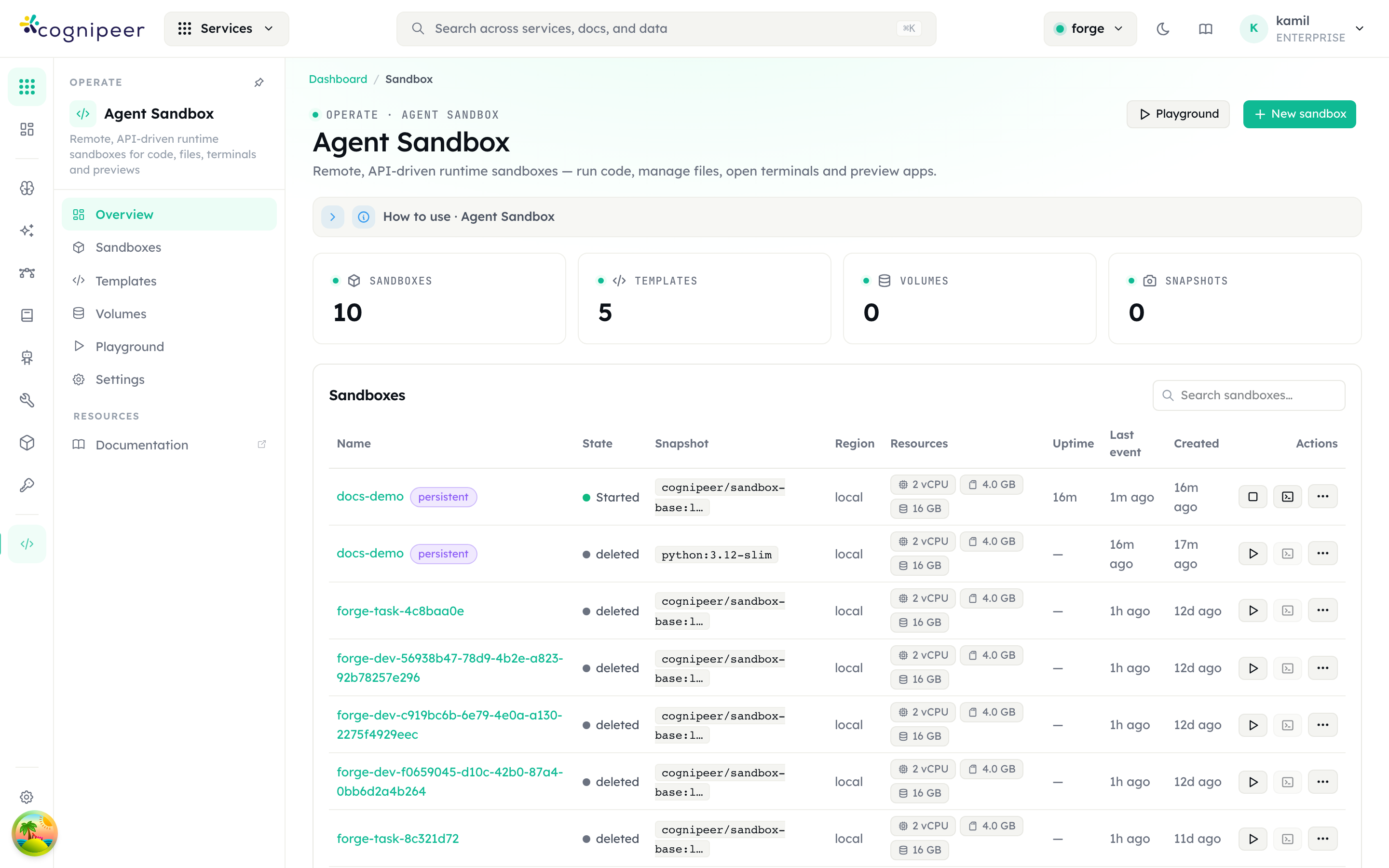
What to read on this screen:
- Sandboxes / Templates / Volumes / Snapshots tiles count objects in the active project only. Switch projects from the header pill to change scope.
- The State column reflects the container's real state as reported by the runner —
Started,stopped, ordeleted. Only aStartedsandbox accepts exec, terminal, and filesystem calls. - New sandbox opens the create dialog; Playground jumps to the interactive REPL.
Core concepts
| Concept | What it is |
|---|---|
| Sandbox (instance) | A concrete container launched from a template. Tracks a desiredState (what you asked for) versus an actualState (what the runner reports). Can be ephemeral or persistent. |
| Template | A reusable recipe — base image, runtime, isolation level, default resources, env, and toolbox port — that new sandboxes are launched from. |
| Volume | Persistent storage mounted at /workspace, backed by object storage (S3 or Azure Blob). Survives instance deletion and can be attached to or detached from a sandbox. |
| Snapshot | A point-in-time image of a sandbox's filesystem (docker commit). A snapshot lives on the runner; a backup is also exported to object storage. Used to resume or fork. |
| Runner | The compute node that actually runs containers. Either an external agent (remote/DinD/Kubernetes) the console polls, or the built-in Docker-direct runner that talks to the local Docker daemon in-process. |
| Terminal session | An interactive WebSocket-multiplexed PTY into a running sandbox, auto-closed after a TTL. |
The relationships: a project owns runners, templates, volumes, snapshots, and sandboxes. A sandbox references one template, optionally one volume, and may have many snapshots.
Create a sandbox
New sandbox opens a single-screen dialog. You can launch from a template or from a snapshot.
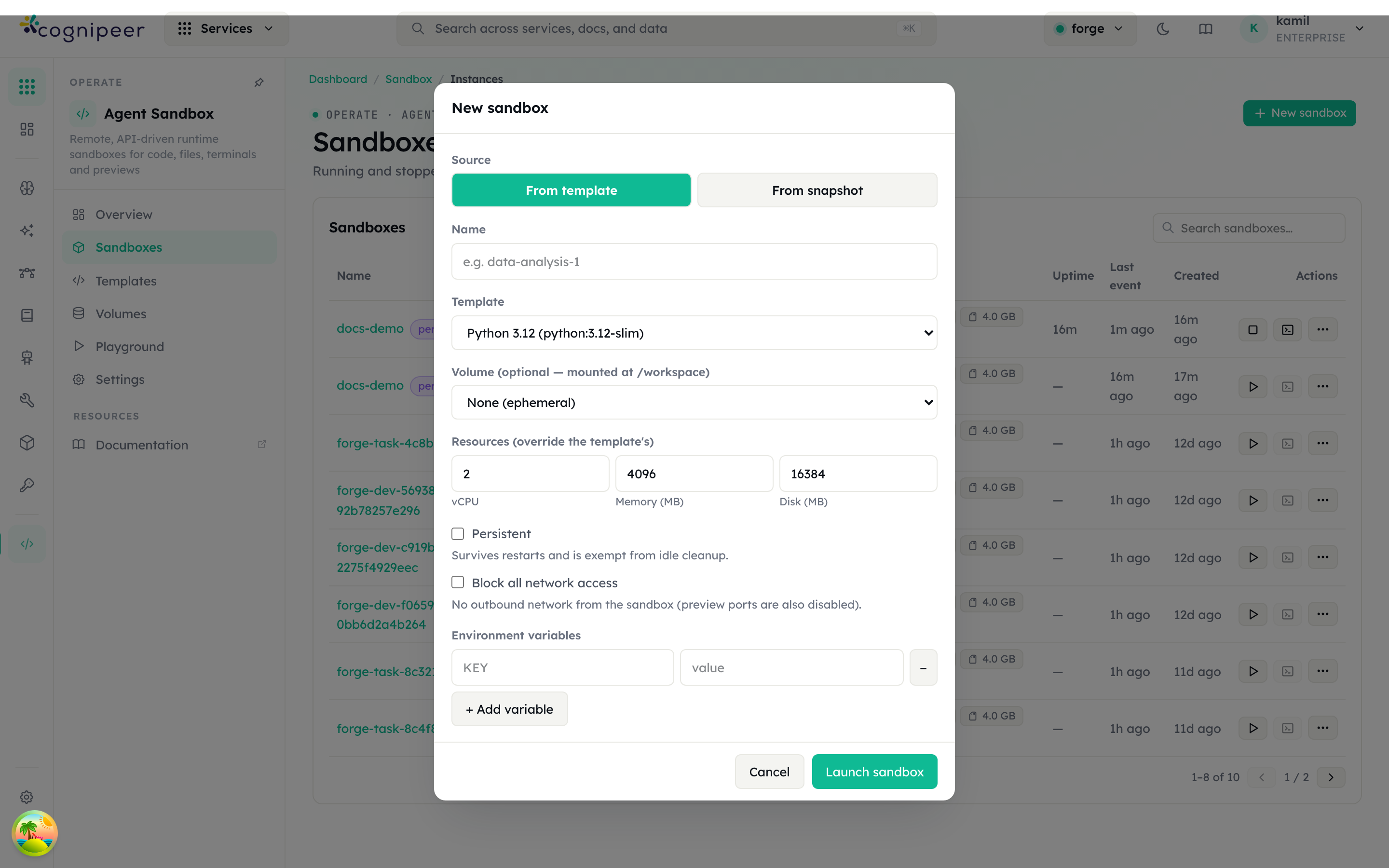
Fields:
- Source —
From template(a fresh container) orFrom snapshot(resume a previously captured filesystem). - Name — a human label; if omitted, one is generated.
- Template — the base image and runtime to launch (e.g. Python 3.12, Node.js 22, or the multi-runtime Cognipeer Sandbox base).
- Volume (optional) — attach a persistent volume mounted at
/workspace.Nonemeans an ephemeral workspace that disappears when the container is removed. - Resources — vCPU / memory (MB) / disk (MB) for this sandbox. Leave a field blank to inherit the project default, then the platform default (see Resource limits). Values above the operator cap are clamped on launch.
- Persistent — when checked, the sandbox survives restarts and is exempt from idle cleanup. Ephemeral sandboxes are reaped once idle (see Idle reaping).
- Block all network access — when checked, all outbound traffic from the container is blocked (preview ports are also disabled).
- Enable port preview / Allow public share links — turn preview on (default) and choose public (session-less share links) vs private (login-only). Both are also editable later from the Preview tab.
- Environment variables — per-sandbox env, merged over the template's defaults.
Submitting calls POST /api/sandbox/instances, which records the sandbox in pending, picks a runner, and enqueues a create-sandbox command. The runner pulls/starts the container and reports back; the row flips to Started.
Sandboxes list
Sandboxes is the full list of running and stopped containers, with inline actions per row (start ▶, stop, snapshot, fork, terminal, delete).
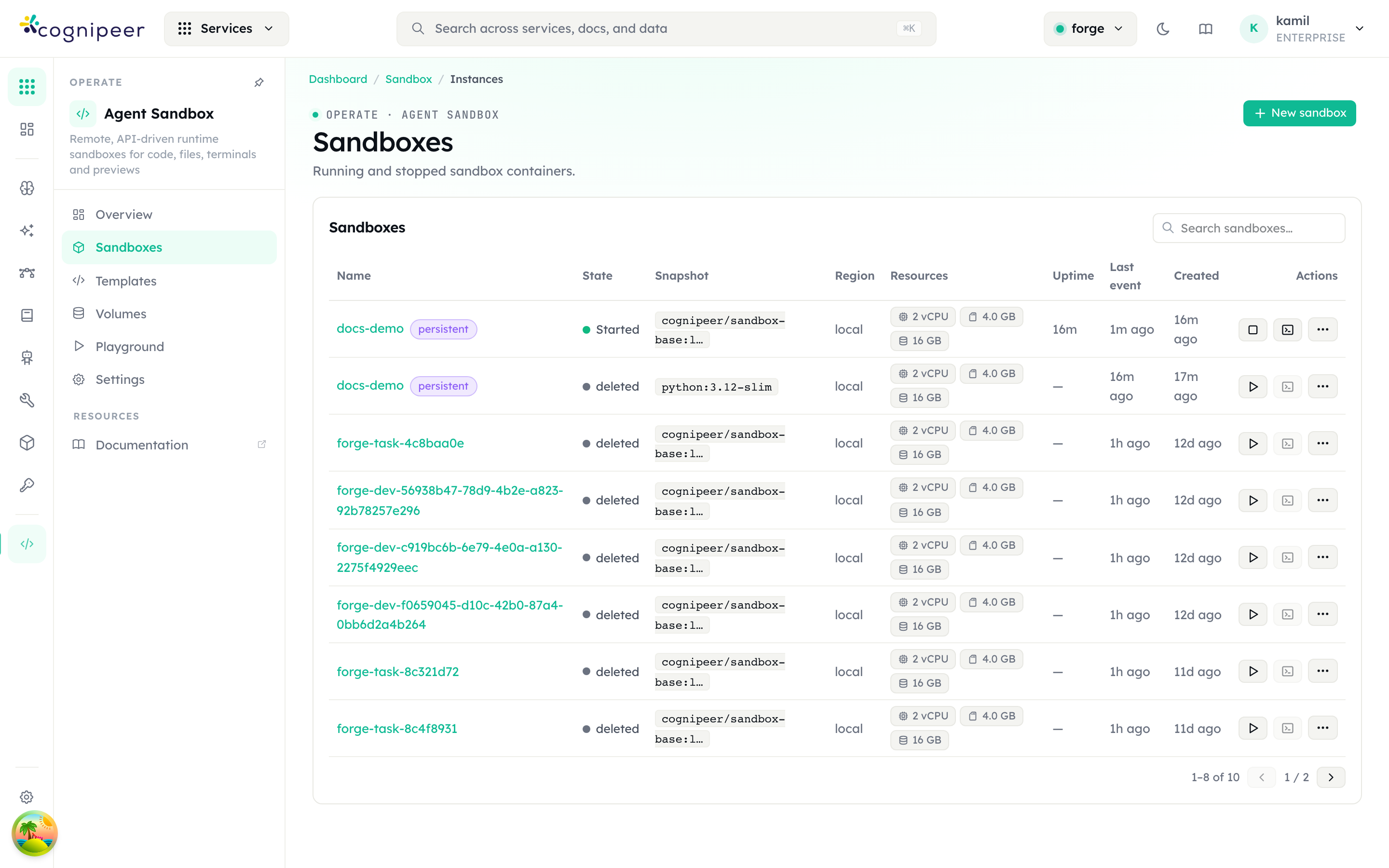
The Resources column shows the effective vCPU / memory / disk limits, Uptime is wall-clock since start, and Last event is the most recent runner report — a quick way to spot a container whose runner has gone quiet.
Inspect a sandbox
Clicking a row opens the detail screen, organised into tabs: Overview, Metrics, Preview, Terminal, and Filesystem.
Overview
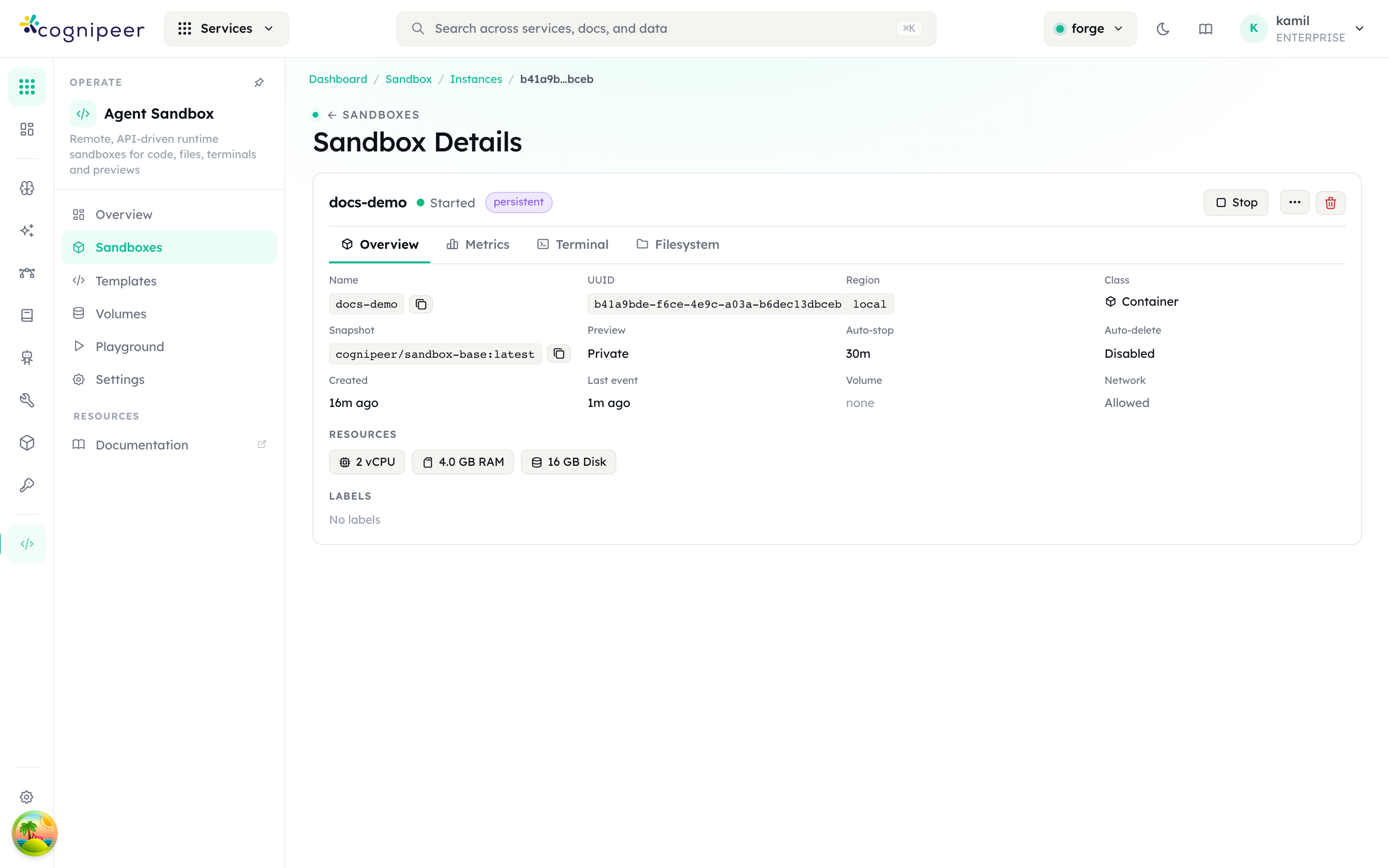
The overview is the operational summary: name, UUID, region, class (Container), the base image / snapshot it was launched from, preview visibility, auto-stop and auto-delete policy, the attached volume (or none), the network policy, the resource limits, and labels. The header carries the Stop, overflow (snapshot / fork / attach volume), and delete actions.
Metrics
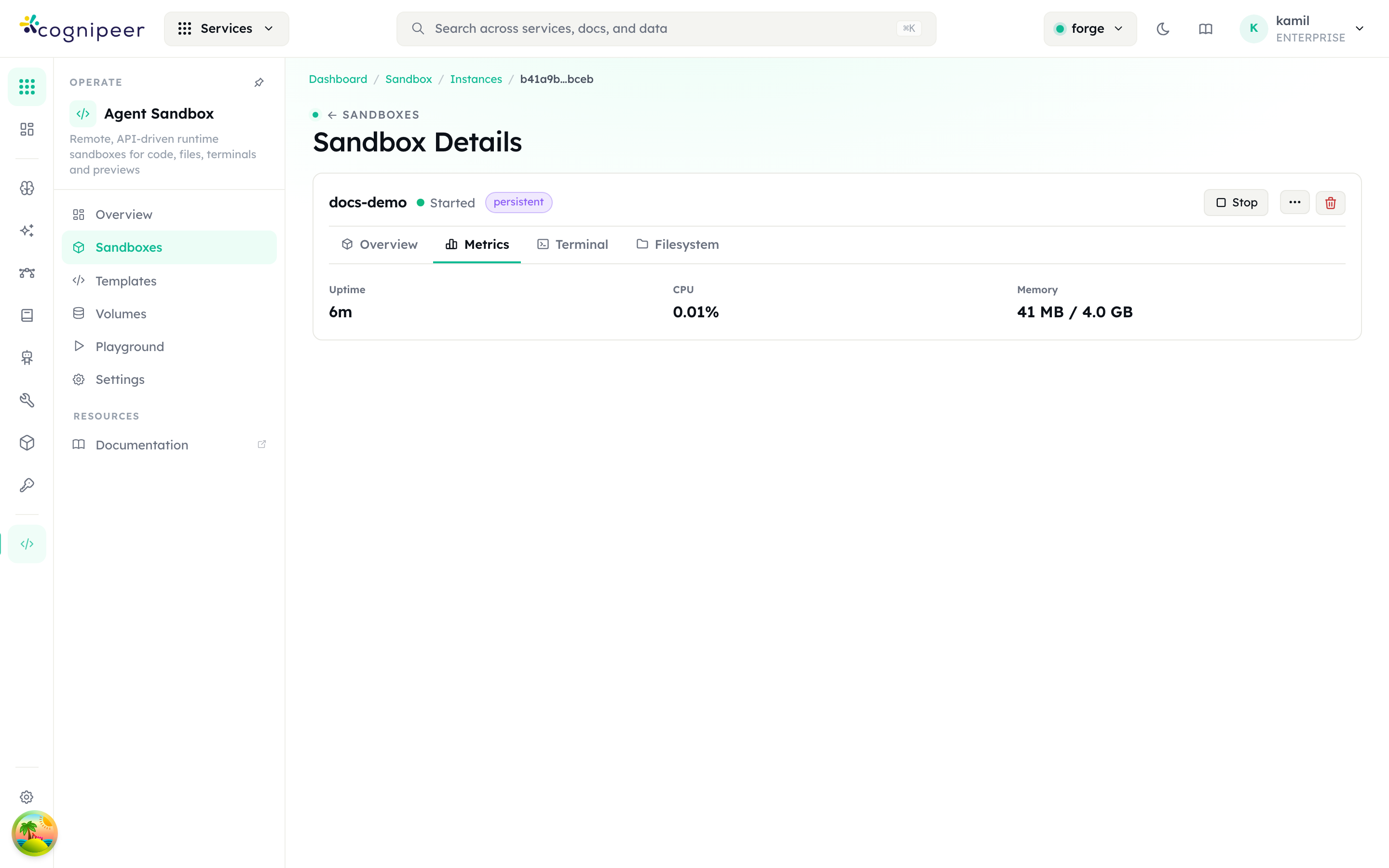
Live container stats sampled from the runner: uptime, CPU percentage, and memory used against the limit. If the runner cannot report stats, the panel says so rather than showing stale numbers.
Preview
The Preview tab reaches a web service you start inside the sandbox — a dev server, a built app, an API — from your browser. This makes the dev-agent loop work end to end: an agent writes code, starts npm run dev (or python -m http.server, vite, …), and you open the result; once it's right, the agent commits and pushes to git (the sandbox has full network egress unless you blocked it).
How it works — and why it needs no ingress, DNS, or subdomain change:
- Any port works — you (or the agent) choose the port; there is no fixed list. The common dev ports (
3000, 5173, 8000, 8080, override withSANDBOX_PREVIEW_PORTS, plus any ports declared on the template) are pre-published to ephemeral host ports when the container starts; a request for any other port transparently provisions a tiny on-demand forwarder, so it reaches the service all the same. (SetSANDBOX_PREVIEW_ALL_PORTS=offto restrict preview back to the pre-published set.) - The one requirement: the service must listen on
0.0.0.0, not just127.0.0.1— the Preview tab flags loopback-only listeners. - The Preview tab also detects listening ports live: every TCP port something is actually listening on inside the sandbox is listed with its state, next to a free-form "open any port" field.
- A request to
/api/sandbox/instances/:id/preview/:port/*is proxied — riding the console's existing origin under a path — to that port inside the sandbox. Open launches it in a new tab (authenticated by your dashboard session). - HTML responses get a
<base href>injected so a dev server emitting relative asset URLs renders correctly under the sub-path. For apps that hardcode absolute root paths, configure their base path (Vitebase, NextbasePath, CRAPUBLIC_URL). - Share link issues a short-lived, signed, session-less URL (
/api/sandbox/preview/<token>/) so you can hand a running app to someone without a dashboard login — for any port. Sharing is enabled by settingSANDBOX_PREVIEW_SECRET; links default to a 24-hour TTL.
Previewing requires the sandbox to be running and network not blocked. WebSocket upgrades (e.g. Vite HMR) are not proxied — the app still renders; only live-reload over WS is unavailable.
Per-sandbox toggles (top of the Preview tab, set at create time or live afterwards):
- Preview enabled — turn preview on/off for this sandbox. When off, both the authenticated proxy and any share links are refused (applied instantly, no restart).
- Public access — when on, session-less share links can be issued; when off the preview is private, reachable only through the authenticated proxy (a logged-in project member). Toggling public off immediately revokes already-minted share links. Public links additionally need
SANDBOX_PREVIEW_SECRETon the server.
The same controls are on the token API for agents: GET /api/client/v1/sandbox/sandboxes/:id returns preview.{enabled,public,allPorts,ports,sharingEnabled}, GET …/:id/preview-listening lists the ports currently in LISTEN state (with a loopbackOnly flag), PATCH …/:id/preview toggles {enabled,public}, and POST …/:id/preview-tokens mints a share link for any port (only when the sandbox is enabled + public). Both flags are also accepted on create (previewEnabled, previewPublic).
Terminal
The Terminal tab opens an interactive PTY into the running container. The browser connects to a session over WebSocket while the runner attaches the container side; keystrokes and output stream through the console's terminal session manager.
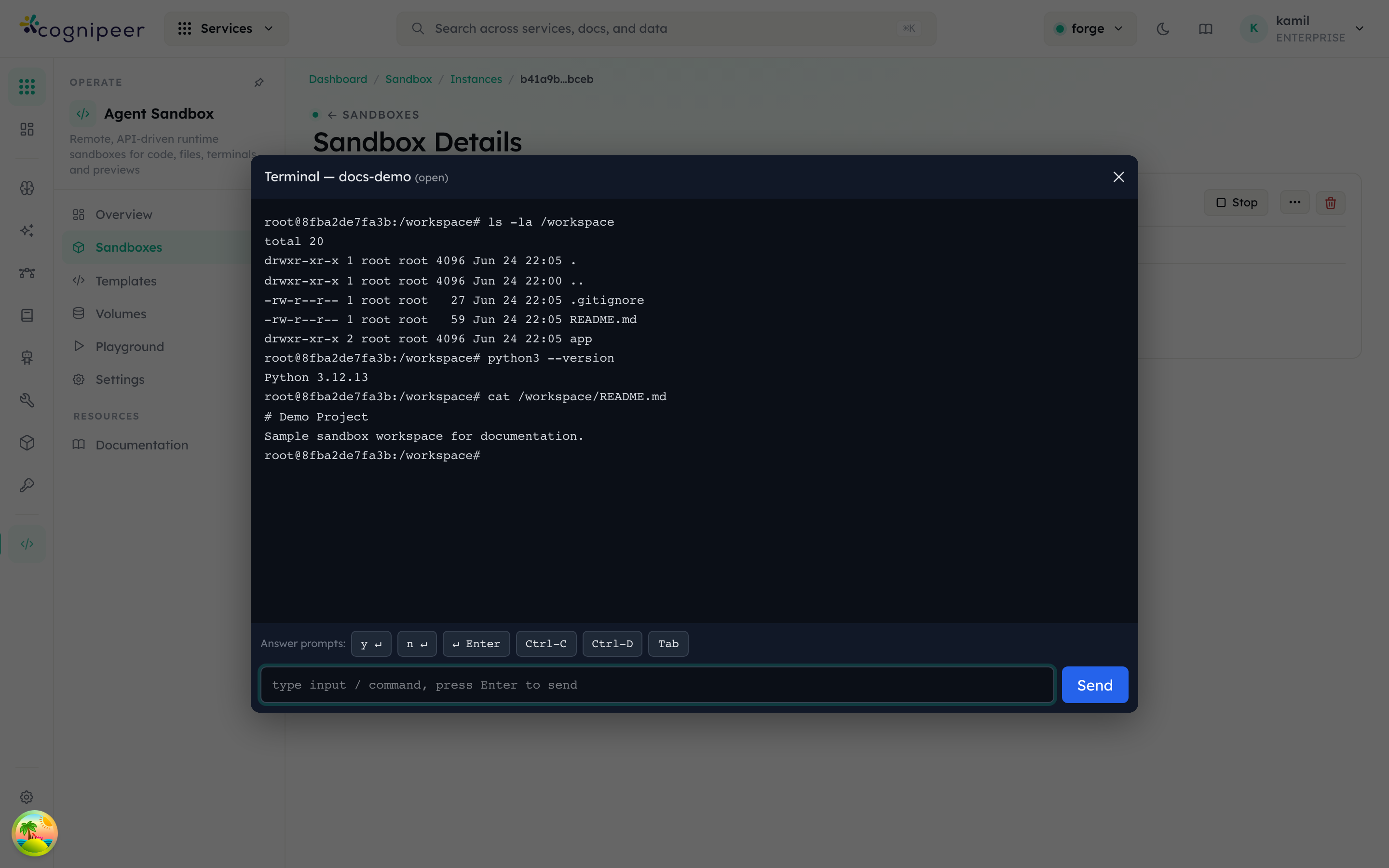
Sessions auto-close after the configured TTL (default 1 hour). A sandbox must be Started to open one.
Filesystem
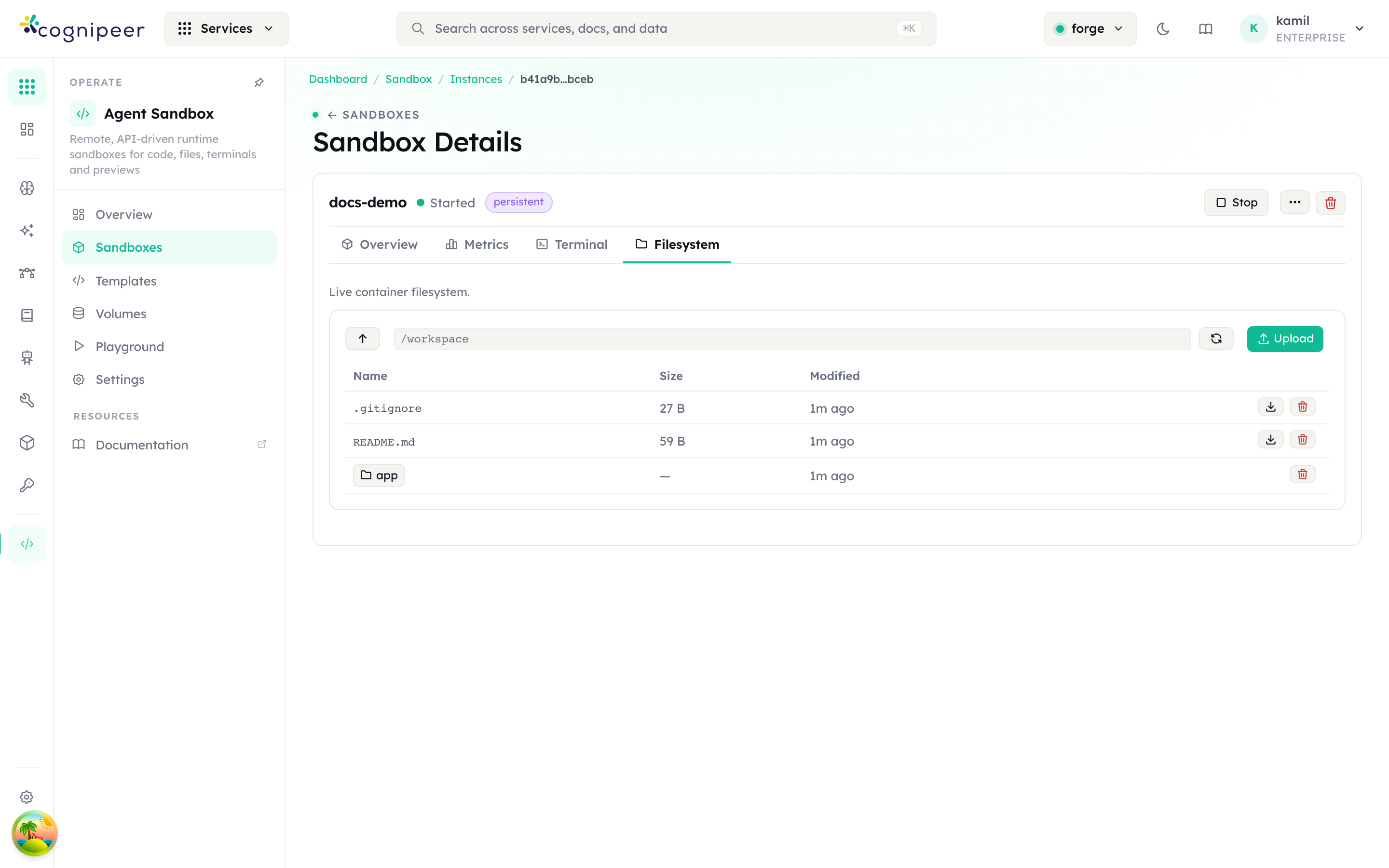
A live browser of the container filesystem (served through the in-container toolbox). When the sandbox has an attached volume, /workspace is that volume; otherwise it is the container's ephemeral disk. You can navigate directories, upload files, and download or delete entries. When a sandbox is stopped but has a volume, the same tab browses the persisted object store instead.
Templates
Templates lists the base images new sandboxes launch from. Each row shows the key, display name, image, runtime, and isolation level.
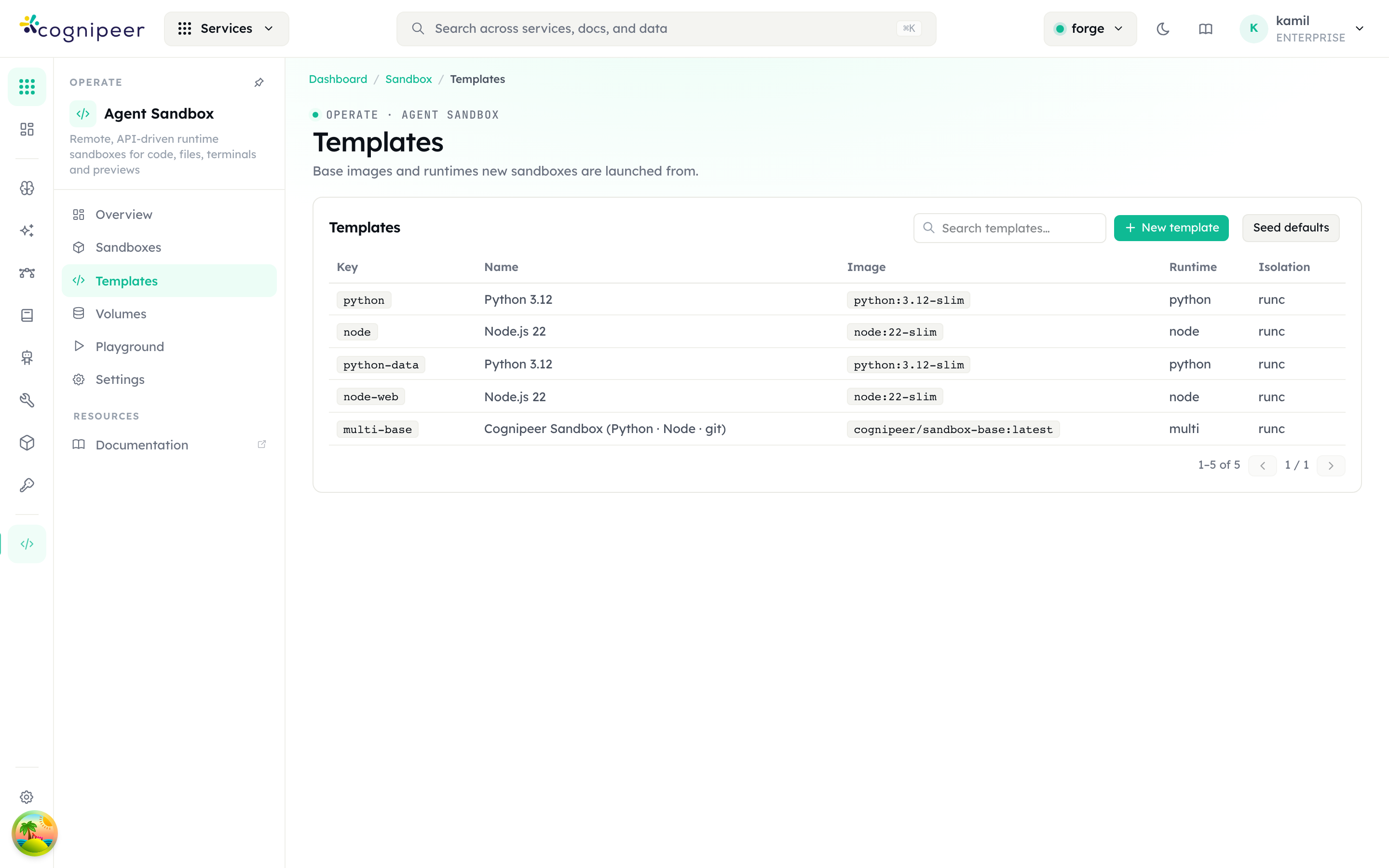
- New template registers a custom recipe — base image, runtime, isolation, default resources, env, entrypoint, and the toolbox port (default
8787). - Seed defaults idempotently loads the built-in library (Python, Node, data-science, web, and the multi-runtime
cognipeer/sandbox-baseimage).
The multi-base template uses cognipeer/sandbox-base:latest, which bundles the toolbox/agent so the container stays alive and supports terminals, the filesystem browser, and git operations out of the box.
Volumes & snapshots
Volumes manages persistent storage and the snapshot archive on one page.
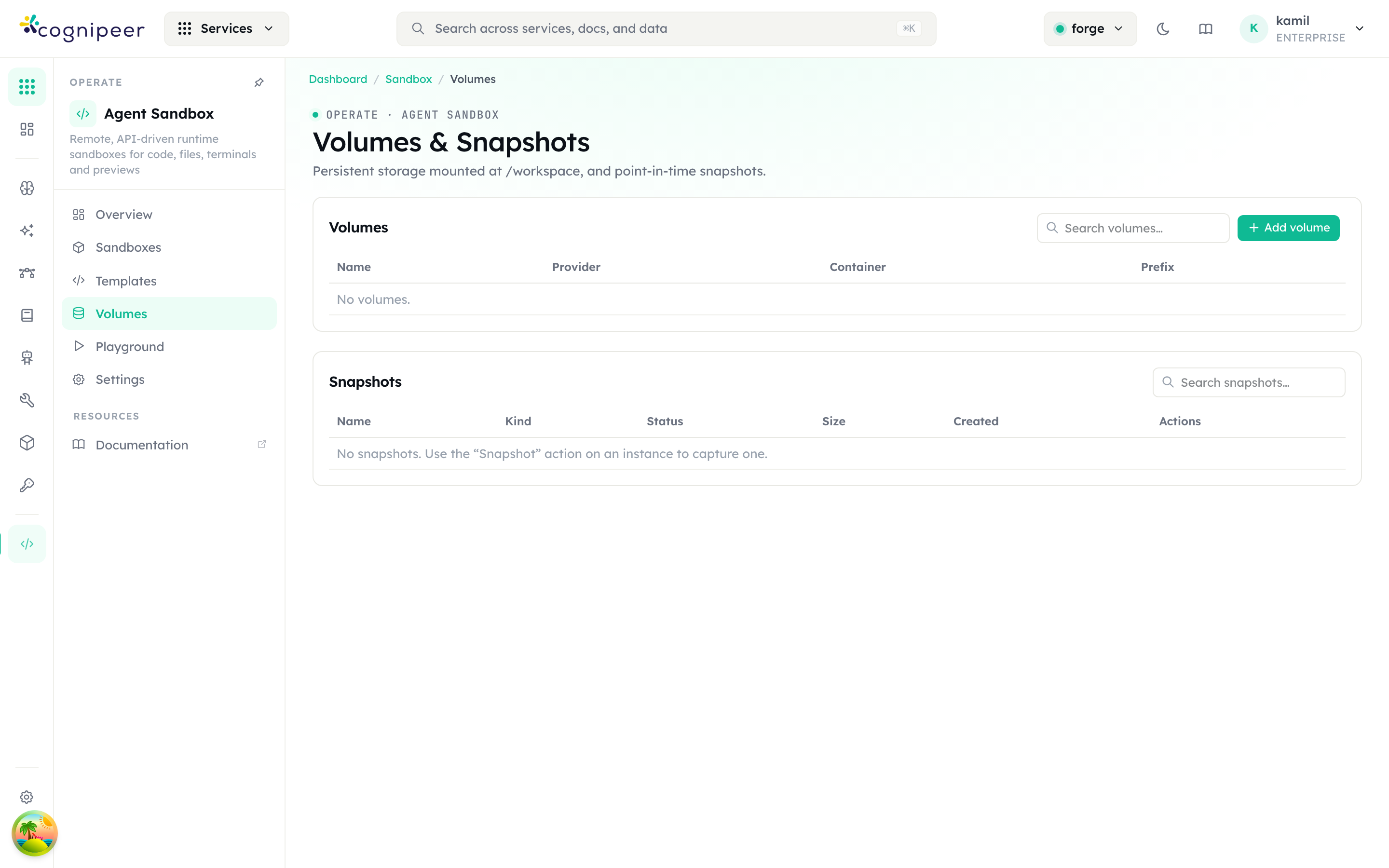
- Volumes are object-storage-backed workspaces. Each is created from a file bucket (which supplies the provider, container, and credentials) and shows its provider, container, and isolated prefix. Attaching a volume to a sandbox mounts it at
/workspace; detaching recreates the container without it. Volume data survives sandbox deletion. - Snapshots are point-in-time images. Use the Snapshot action on a running sandbox to capture one; a snapshot can be restored into a new sandbox or forked (snapshot + copy the volume data + launch an independent clone). A
backupsnapshot is additionally exported to object storage so it survives a runner restart.
Playground
The Playground is an interactive REPL bound to a running sandbox — pick a sandbox, then run code or shell commands and watch the output live.
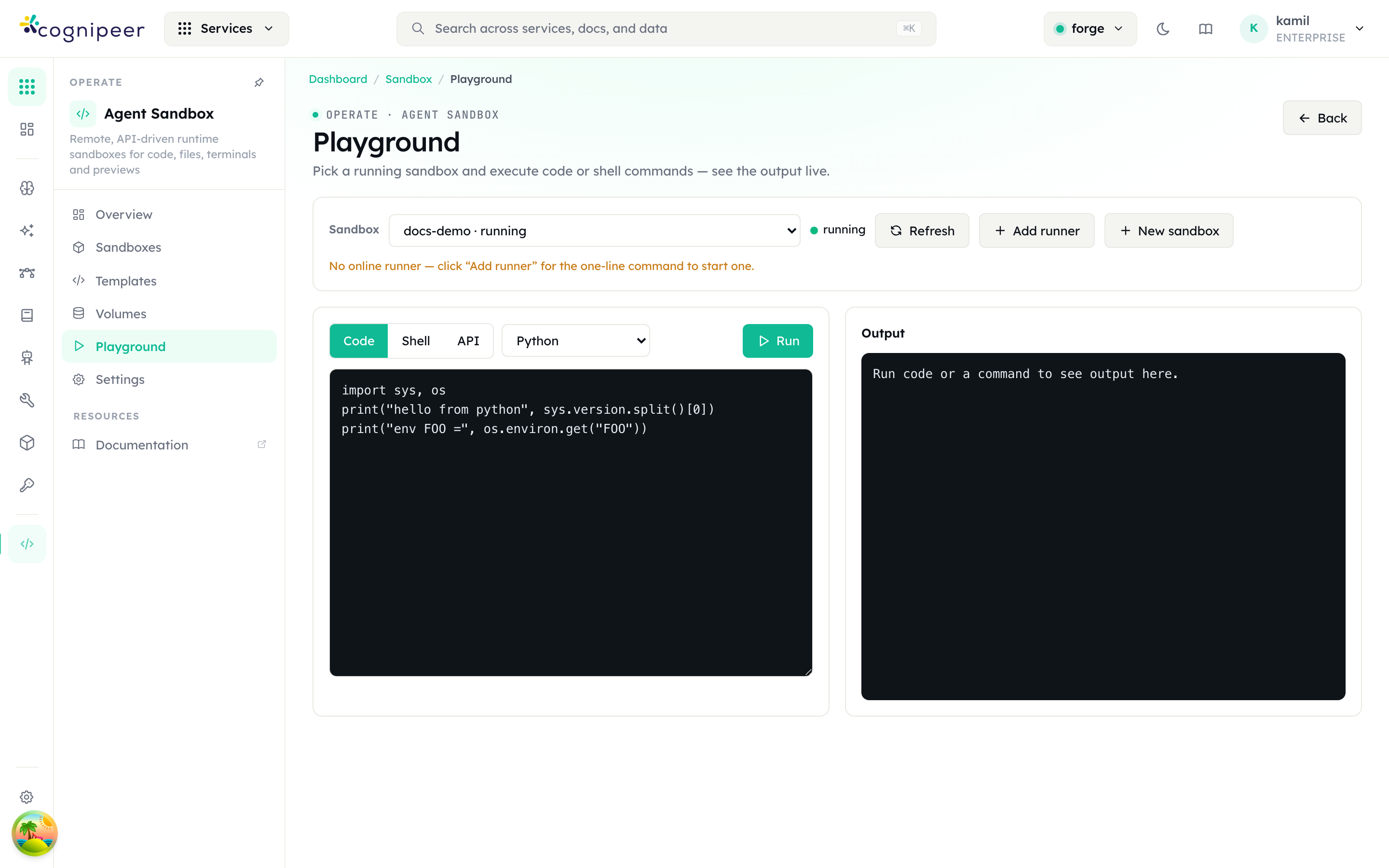
Switch between Code, Shell, and API modes, choose the language (Python / JavaScript / TypeScript / Bash), and press Run. It is the fastest way to confirm a sandbox is healthy and to prototype the exact exec / code calls an agent will make.
Settings
Settings holds the project-wide defaults and lifecycle policy.
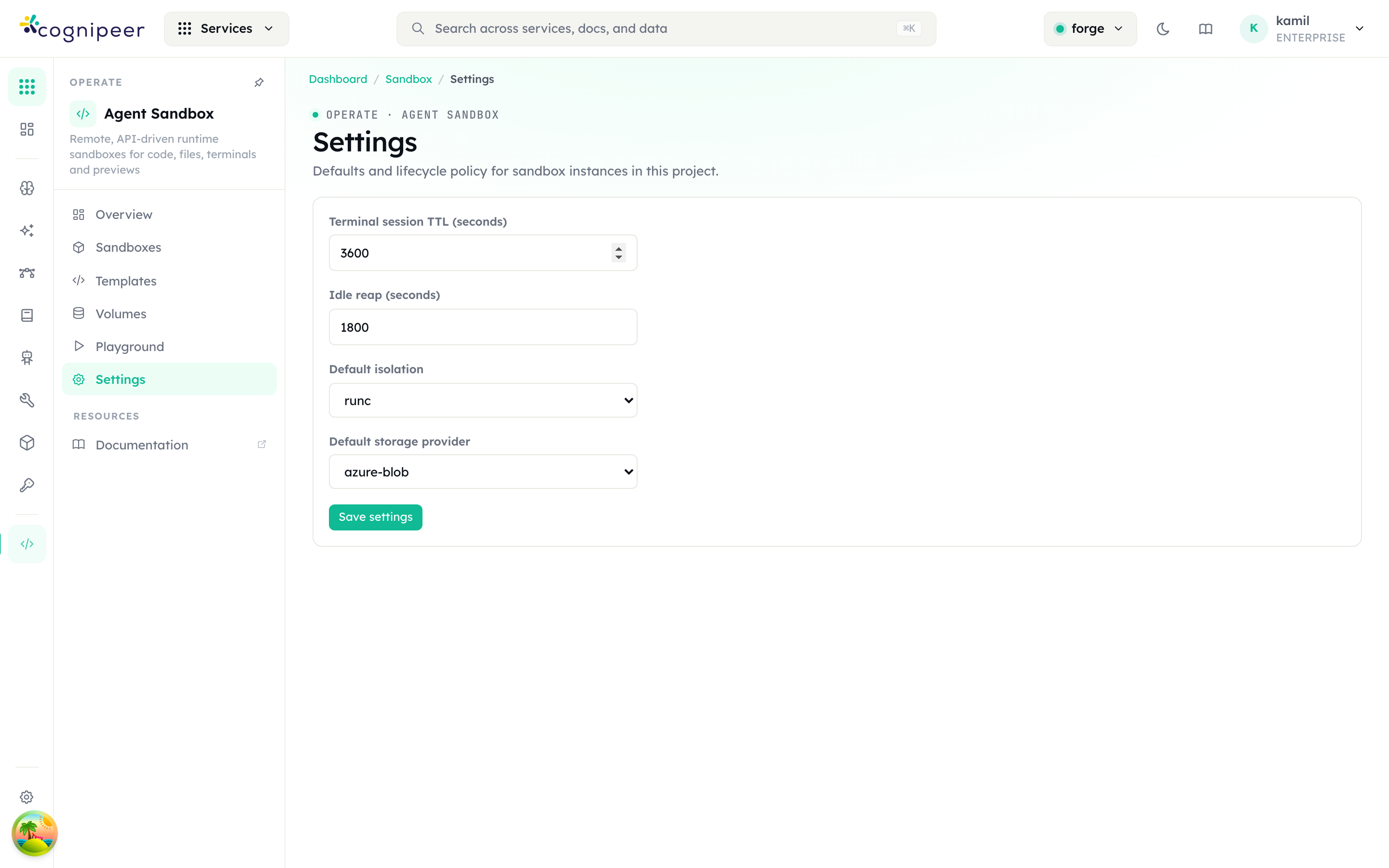
| Setting | Default | Effect |
|---|---|---|
| Terminal session TTL | 3600 s | How long an idle terminal session stays open before it is closed. |
| Idle reap | 1800 s | How long an ephemeral sandbox may sit idle before the reaper deletes it. Persistent sandboxes are exempt. |
| Default isolation | runc | Container isolation level applied to new templates (runc, gvisor, …). |
| Default storage provider | azure-blob | Object-storage backend used for snapshot backups and volumes (s3 or azure-blob). |
The reaper scans on a fixed interval and skips any sandbox that has a live terminal session, so an interactive session won't be pulled out from under you.
Resource limits
New sandboxes default to 0.5 vCPU / 1 GB RAM / 1 GB disk. The effective limit for a launch is resolved in layers — first defined wins per field, then clamped to the operator hard cap:
- Per-sandbox — the Resources fields in the create dialog (or
resourcesin the API). - Per-project — the Project resource defaults card on the Settings page (stored against the active project).
- Platform default —
SANDBOX_DEFAULT_CPU/_MEMORY_MB/_DISK_MB/_PIDS(env), falling back to the built-in0.5 / 1024 / 1024 / 512. - Hard cap —
SANDBOX_MAX_CPU/_MEMORY_MB/_DISK_MB/_PIDS(env). Operator-owned; the UI and token API can never exceed it.0/unset = unbounded.
CPU and memory are always enforced by the container engine. Disk (diskMb) is enforced only when SANDBOX_DISK_QUOTA=on and the Docker storage driver supports --storage-opt size (overlay2 on xfs pquota, or btrfs); otherwise it is tracked and shown but advisory.
Runtime architecture
A sandbox is driven by a runner. The console never blocks on container work — it enqueues a command and reconciles state from the events the runner reports back.
┌────────────────────┐   enqueue command    ┌─────────────────────┐
│      Console       │ ───────────────────▶ │       Runner        │
│  (control plane)   │                       │   (data plane)      │
│                    │ ◀─── poll /commands ─ │  - docker run/exec  │
│  command queue     │ ──── events ────────▶ │  - commit / save    │
│  event ingestor    │                       │  - terminal PTY     │
│  reconcile / reaper│                       │  - FUSE volume mount│
└────────────────────┘                       └─────────────────────┘
Two execution models:
- Agent runner — an external process (remote Docker-in-Docker, a Kubernetes pod, or a fleet-managed host) handshakes with a one-time registration token, then long-polls the console for commands and posts events back. This is how the sandbox scales horizontally.
- Docker-direct — a synthetic in-console runner (
local-docker-direct) that executes commands against the local Docker daemon in-process. Ideal for single-host and self-hosted setups; limited to local docker volumes (no cloud-volume FUSE mount or snapshot export).
Supporting loops keep the system consistent:
- Reconcile runs once at boot: it re-spawns console-managed runners and re-drives any sandbox that should be running, clearing stuck
pendingstates after a restart. - Reaper runs periodically: it deletes ephemeral sandboxes once idle (per-template → tenant → config window) and leaves persistent ones alone.
- Command queue is FIFO per runner, so dependent operations (e.g. detach-then-recreate for a volume change) always execute in order.
API surface
Every screen above is backed by the /api/sandbox/* admin API (cookie-authenticated, RBAC service sandbox). The most-used endpoints:
| Method & path | Purpose |
|---|---|
GET /api/sandbox/instances | List sandboxes |
POST /api/sandbox/instances | Create a sandbox |
POST /api/sandbox/instances/:id/start · /stop | Start / stop |
DELETE /api/sandbox/instances/:id | Delete |
POST /api/sandbox/instances/:id/exec | Run a shell command, return exit/stdout/stderr |
POST /api/sandbox/instances/:id/code | Run a code block (python/javascript/typescript/bash) |
POST /api/sandbox/instances/:id/terminal | Open a terminal session (returns a WebSocket path) |
GET /api/sandbox/instances/:id/preview | Preview state: enabled/public/allPorts + suggested ports |
GET /api/sandbox/instances/:id/preview-listening | Ports currently LISTENing inside the sandbox |
PATCH /api/sandbox/instances/:id/preview | Toggle preview {enabled, public} |
ALL /api/sandbox/instances/:id/preview/:port/* | Proxy to a port inside the sandbox (authenticated) |
POST /api/sandbox/instances/:id/preview-tokens | Mint a session-less share link for a port |
ALL /api/sandbox/preview/:token/* | Public preview proxy (signed token, no session) |
GET PUT /api/sandbox/resource-config | Read / set the active project's resource defaults |
POST /api/sandbox/instances/:id/snapshot · /fork | Capture / clone |
POST /api/sandbox/instances/:id/volume · DELETE … | Attach / detach a volume |
GET POST /api/sandbox/templates · /templates/seed | Manage templates |
GET POST /api/sandbox/volumes · /volumes/:id/files | Manage volumes and volume files |
GET /api/sandbox/snapshots · /snapshots/:id/restore | List / restore snapshots |
GET PUT /api/sandbox/settings | Read / update project settings |
External runners use a separate bearer-token API under /api/sandbox/agent/:tenantSlug/* (handshake, heartbeat, commands, events), and terminals relay over WS /api/sandbox/terminal/:sessionId/browser.
Configuration
Beyond the in-app Settings, a few environment variables tune the runtime:
| Variable | Default | Purpose |
|---|---|---|
SANDBOX_EXECUTOR | agent | Execution model: agent or docker-direct. |
SANDBOX_IDLE_REAP_SECONDS | 1800 | Fallback idle window for ephemeral sandboxes. |
SANDBOX_SNAPSHOT_CONTAINER | cognipeer-sandbox | Default object-storage container for snapshot backups. |
SANDBOX_BASE_IMAGE | — | Override the base image used for the multi-runtime template. |
SANDBOX_CONSOLE_URL | http://localhost:$PORT | Callback URL advertised to console-managed runners. |
SANDBOX_PREVIEW_PORTS | 3000,5173,8000,8080 | Ports published for preview (comma list; a-b ranges allowed). |
SANDBOX_PREVIEW_PROXY_HOST | auto | Host the published ports are reached at. Auto-derived from DOCKER_HOST (tcp://host:… → host), else 127.0.0.1. Set when the console can't reach the engine host directly. |
SANDBOX_PREVIEW_SECRET | — | HMAC secret enabling session-less share links. Unset = sharing disabled (authenticated preview still works). |
SANDBOX_DEFAULT_CPU / _MEMORY_MB / _DISK_MB / _PIDS | 0.5 / 1024 / 1024 / 512 | Platform default resource limits for new sandboxes. |
SANDBOX_MAX_CPU / _MEMORY_MB / _DISK_MB / _PIDS | — | Hard upper bound per field (0/unset = unbounded). Clamps every launch. |
SANDBOX_DISK_QUOTA | off | on enforces diskMb via --storage-opt size (needs xfs-pquota / btrfs); otherwise disk is advisory. |
Security & tenant isolation
- Every request is bound to the calling tenant's database for the full async execution, preventing cross-tenant reads under concurrency.
- Runner agents authenticate with hashed tokens: a one-time registration token (
sbref_…) exchanged at handshake for a long-lived agent token (sbat_…), compared in constant time and rotatable from the UI. - Block network access removes outbound connectivity for a sandbox; the isolation level (
runc,gvisor, …) governs container-to-host isolation. - Preview share links are HMAC-signed capability tokens scoped to a single instance + port with a short TTL — anyone with the link reaches only that one port, and only until it expires. Sharing is off unless
SANDBOX_PREVIEW_SECRETis set. The authenticated preview proxy stays bound to the caller's session and project.
Where to go next
- File Storage — the buckets that back sandbox volumes and snapshot exports.
- Multi-Tenancy — how the per-request tenant binding the sandbox relies on works.
- Licensing — enabling enterprise modules.