
Command Palette
The Command Palette is the global, keyboard-driven launcher mounted across every dashboard route. It replaced the older GlobalSearch and PageHeader components — both are gone and shouldn't be referenced.
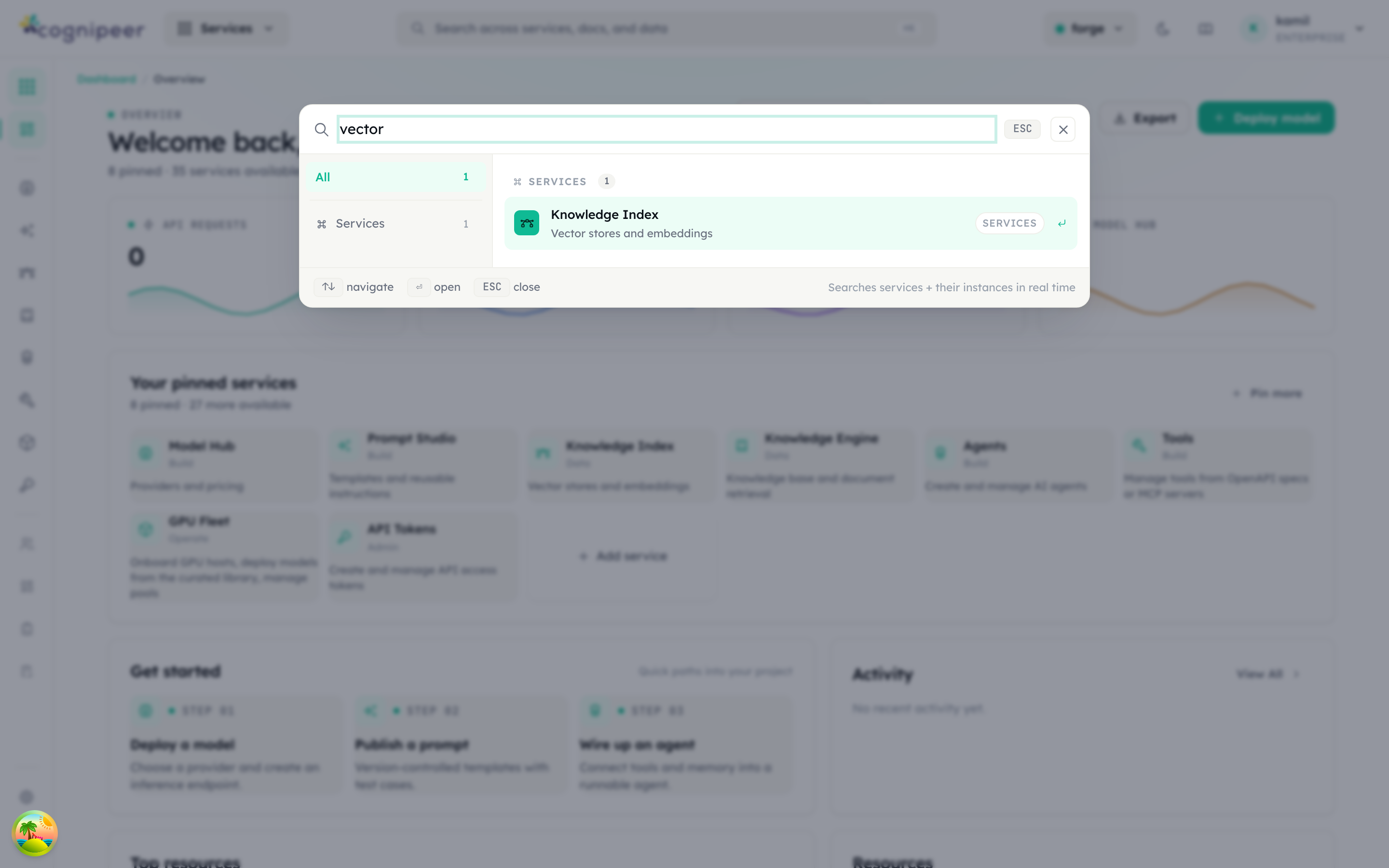
Typing filters services and their instances in real time; ↑/↓ navigate and ↵ opens the highlighted result.
Opening it
| Shortcut | Behavior |
|---|---|
Cmd+K / Ctrl+K | Toggle the palette from anywhere |
/ | Open the palette when no input is focused |
Esc | Close the palette |
You can also call openCommandPalette() from any client component — the function is exported from src/components/layout/CommandPalette.tsx and dispatches a window event the global mount listens for.
What you can search
Results are grouped; the ordering is stable so muscle memory works.
| Group | Source |
|---|---|
| Services | platform-services.json entries (see Service Catalog) |
| Models | All models in the active project |
| Providers | Tenant-level providers |
| Agents | Project agents |
| Prompts | Stored prompt versions |
| Tools | Built-in + custom tools |
| MCP servers | Configured MCP servers |
| Knowledge Engine modules | Knowledge Engine modules in the active project |
| Vector indexes | Vector indexes in the active project |
| Memory stores | Memory stores in the active project |
| Files | File buckets |
| Guardrails | Guardrail policies |
| PII | PII policies |
| Browser | Browser profiles |
Each item shows label, sublabel (key/slug or short description), and an icon. Highlighting an item and pressing Enter (or clicking) navigates to its dashboard page.
Filtering
The search input does substring matching against a precomputed haystack per item: the label, sublabel, group, plus searchKeywords from platform-services.json for service entries. Matching is case-insensitive and multi-language — Turkish keywords (tarayıcı, üyeler, sağlayıcılar, …) live alongside English ones in the same index.
Launcher and slim rail
The Command Palette is one of three discovery surfaces driven by the same data:
- Command Palette — keyboard, ad-hoc, every entity type.
- Slim Rail — left-side icon rail pinned to the dashboard layout. Shows defaults (
defaultPinned: trueentries) plus user-pinned items. - Service Launcher — the services home grid (
/dashboard). Cards drawn fromplatform-services.jsonwith category buckets (build,data,operate,admin).
All three resolve labels and descriptions through the i18n catalog (src/lib/i18n/messages/{en,tr}.ts), so adding a translation for a new module is part of registering it.
Replacing the old header
The previous dashboard layout exposed a top PageHeader with breadcrumbs and a separate GlobalSearch overlay. Both have been removed. The new layout is:
TopbarV2— minimal top bar (logo, project pill, tenant menu, user menu).- Dynamic breadcrumbs resolved by
src/components/layout/breadcrumbResolvers.ts— each route registers a resolver that turns its segment into a label (e.g.mcp/:idresolves to the MCP server name). - Command Palette for search and navigation.
If you encounter docs or examples referencing PageHeader or GlobalSearch, treat them as stale — search for openCommandPalette instead.