
Files
The file service provides multi-provider file storage with bucket management, upload/download, and automatic Markdown conversion for document processing. Operators interact with it through Data → Document Store.
Document Store
Buckets are the unit of file organisation — each bucket points to a remote prefix on a configured file provider (local filesystem, S3, R2, MinIO, etc.). The list view counts total buckets, active buckets, and disabled buckets, and shows the provider/driver each bucket sits on.
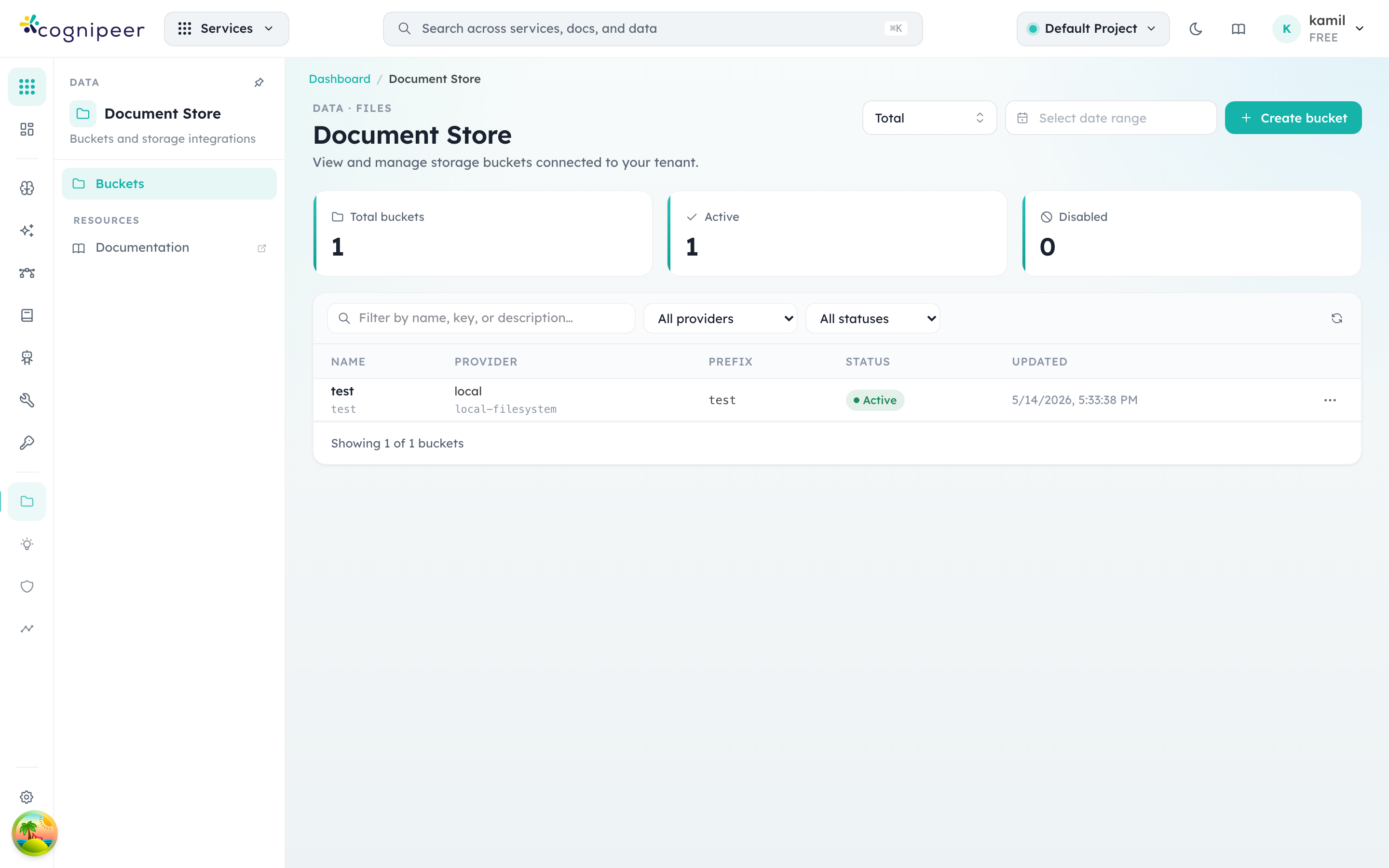
Click a bucket row to drill into the file browser for that bucket — uploads, downloads, deletes, and bulk operations all happen there. Create bucket opens a form where you pick the provider, declare a prefix (used to namespace the bucket within the provider), and optionally enable on-upload Markdown conversion. The conversion step uses @cognipeer/to-markdown to extract text from PDFs, Office docs, and images for downstream Knowledge Engine ingestion.
Supported Providers
File providers are registered through the contract system. Common providers include S3-compatible storage (AWS S3, MinIO, Cloudflare R2, etc.).
Service Functions
| Function | Description |
|---|---|
listFileDrivers() | List available file provider drivers |
listFileProviders() | List tenant's configured providers |
createFileProvider() | Create provider configuration |
listFileBuckets() | List buckets for a provider |
createFileBucket() | Create bucket (with prefix) |
getFileBucket() | Get bucket details |
deleteFileBucket() | Delete bucket (with force option) |
listFiles() | List files in bucket |
uploadFile() | Upload file with optional Markdown conversion |
downloadFile() | Download file from bucket |
deleteFile() | Delete file record and remote object |
getFileRecord() | Get file metadata |
Client API
List Buckets
GET /api/client/v1/files/buckets
Authorization: Bearer <token>
Upload File
POST /api/client/v1/files/buckets/:bucketKey/objects
Authorization: Bearer <token>
Content-Type: multipart/form-datacurl -X POST .../api/client/v1/files/buckets/my-bucket/objects \
-H "Authorization: Bearer <token>" \
-F "file=@document.pdf"Download File
GET /api/client/v1/files/buckets/:bucketKey/objects/:objectKey/download
Authorization: Bearer <token>
List Files
GET /api/client/v1/files/buckets/:bucketKey/objects
Authorization: Bearer <token>
Markdown Conversion
When a file is uploaded, the gateway can automatically convert it to Markdown using @cognipeer/to-markdown. This is used by the Knowledge Engine pipeline for document ingestion.
Supported formats include PDF, DOCX, PPTX, HTML, and plain text.
Bucket Configuration
{
  "name": "Documents",
  "key": "documents",
  "prefix": "tenant-acme/docs/"
}
Buckets use a prefix to isolate tenant files within shared storage infrastructure.
File Record
| Field | Description |
|---|---|
key | Unique file identifier |
originalName | Original filename |
mimeType | Content type |
sizeBytes | File size |
remotePath | Storage location |
markdownContent | Extracted text (if converted) |
markdownStatus | Conversion status |
Runtime Pooling
File provider SDK clients are cached via runtimePool with credential change detection:
const runtime = await runtimePool.getOrCreate(
  `${tenantId}:${providerKey}`,
  hashCredentials(credentials),
  () => providerRegistry.createRuntime(driver, context),
);