
Prompts
The prompt management service provides versioned prompt templates with environment-based deployment (dev → staging → prod), comments, and API-based resolution. The operator surface lives under Build → Prompt Studio.
Prompt Studio
The Studio catalogues every prompt in the active project. Counters at the top show how many distinct prompts exist, how many total versions are stored, how many of them have variables, and how many haven't been touched in 30 days (a soft staleness signal).
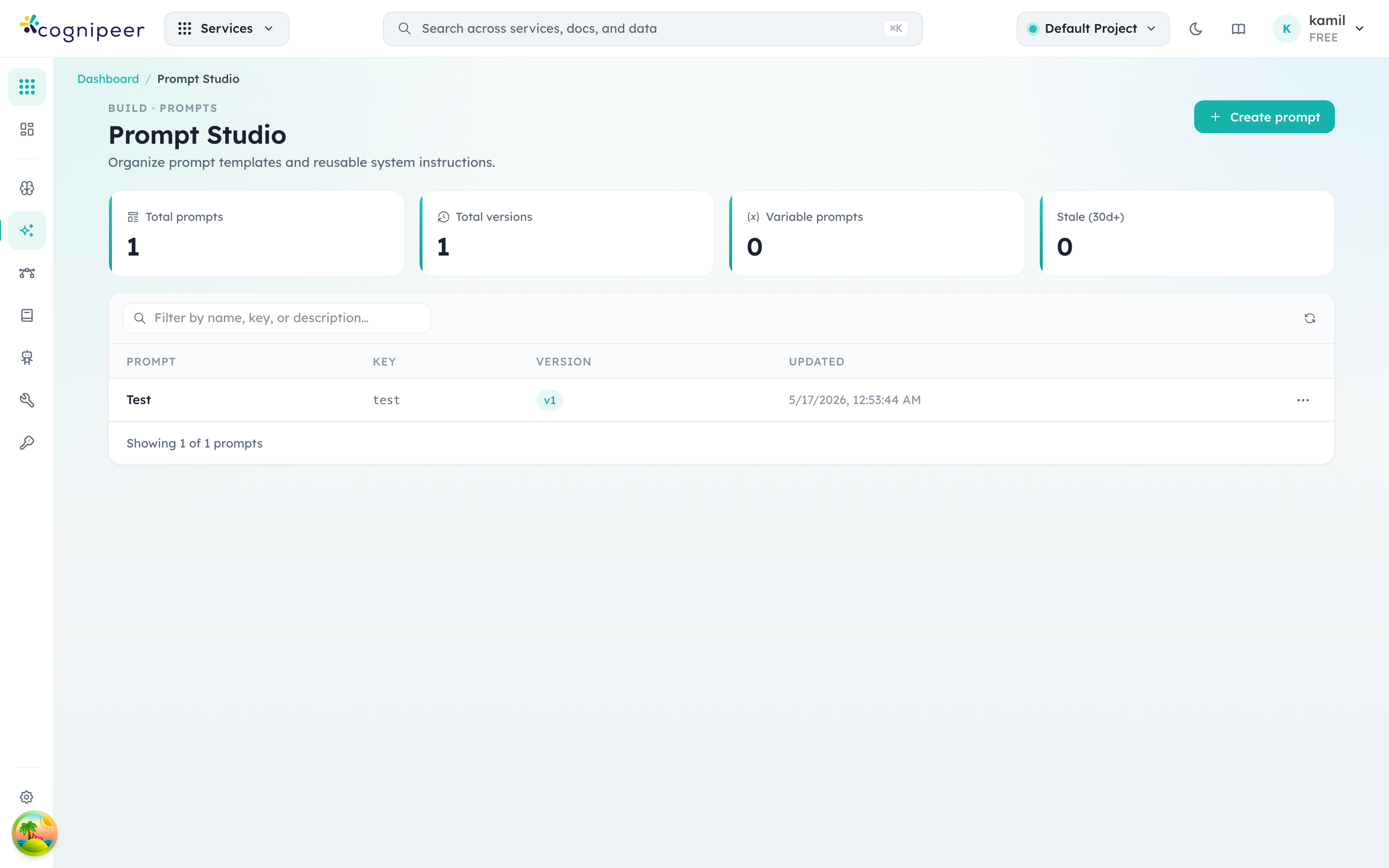
Each row is a logical prompt — clicking it opens the version history, deployment lanes (dev / staging / prod), the rendered template with variable previews, and the discussion thread. Create prompt opens the editor where you author the template, declare variables, and pick an initial environment.
Concepts
| Concept | Description |
|---|---|
| Prompt | A named template with a unique key |
| Version | An immutable snapshot of a prompt's template |
| Environment | Deployment target: dev, staging, prod |
| Deployment | Tracks which version is active in each environment |
Service Functions
| Function | Description |
|---|---|
createPrompt() | Create with auto-generated key + initial version |
updatePrompt() | Update template (auto-creates new version) |
deletePrompt() | Delete prompt and all versions |
getPromptByKey() | Lookup by key |
listPrompts() | List with filtering options |
listPromptVersions() | Version history |
promotePromptVersion() | Promote version to an environment |
planPromptDeployment() | Schedule a planned deployment |
activatePromptDeployment() | Activate a planned deployment |
rollbackPromptDeployment() | Rollback to previous version |
resolvePromptForEnvironment() | Get active template for given environment |
comparePromptVersions() | Side-by-side version diff |
createPromptComment() | Add discussion comment |
listPromptComments() | List comments |
Deployment Lifecycle
Create v1 → Promote to dev
          → Test in dev
          → Promote to staging
          → Test in staging
          → Promote to prod
Deployment Actions
| Action | Description |
|---|---|
promote | Set version as active in an environment |
plan | Schedule a version for future activation |
activate | Activate a planned deployment |
rollback | Revert to the previous version in an environment |
Client API
Resolve Prompt
GET /api/client/v1/prompts/:key?environment=prod
Authorization: Bearer <token>
Response:
{
  "key": "welcome-message",
  "template": "Hello {{name}}, welcome to {{company}}!",
  "variables": ["name", "company"],
  "version": 3,
  "environment": "prod"
}
List Prompts
GET /api/client/v1/prompts
Authorization: Bearer <token>
Template Variables
Prompt templates use syntax (Handlebars-compatible). The API returns detected variables alongside the template for client-side rendering.
Version Control
- Every template change creates a new version automatically
- Versions are immutable — once created, they cannot be modified
- The deployment history tracks all promotion/rollback actions per environment
comparePromptVersions()provides side-by-side diffs for review