
Add a guardrail and a PII policy
Two jobs on one page, because they are constantly confused for each other.
A guardrail is enforcement. It sits in the model or agent request path, runs on every call, and can reject the request. A PII policy is a callable service. It detects and transforms text when you call it, and it never touches model traffic on its own.
You will build one of each, test both from the dashboard, and then drive both from the client API.
Who this is for
Both halves of the team. The click-paths are written so an operations lead can follow them without touching code; each part then gives the engineer the endpoint, the payload and the trap.
What you end up with
                    ┌─ input slot ──► guardrail ──► block / redact / warn / flag
 chat request ──────┤
                    └─ provider call ──► output slot ──► guardrail ──► same four outcomes

 your own code ──► POST /pii/redact (policy_key) ──► transformed text back to your own code
By the end:
| Outcome | Where it lives |
|---|---|
| A preset guardrail with PII detection, a word filter, content moderation and prompt shield | Operate → Guardrail |
| That guardrail bound to a model's input and output slots, and to an agent | Model Hub and the agent's Configuration panel |
| A reusable word list the word filter draws from | Word lists on the Guardrails page |
| A PII policy with built-in categories, custom regex patterns and a reversible token vault | Operate → PII Service |
Both callable from your own code with a cpeer_ token | /api/client/v1/guardrails/* and /api/client/v1/pii/* |
Neither feature requires an Enterprise licence. Both ship in the community build.
Which one do you want?
They are separate engines with separate category vocabularies. Picking the wrong one is the most common mistake here, so decide before you build.
| Guardrail | PII Service | |
|---|---|---|
| Runs when | Automatically, on every request to a model or agent it is bound to | Only when your code calls it |
| Can it stop a request? | Yes — a blocking finding raises HTTP 400 guardrail_block | No. It returns has_blocking: true and leaves the decision to you |
| What it detects | PII, banned words, harmful content, prompt injection | PII only |
| PII category set | 15 categories, ids like nationalId, tckn, address | 18 categories, ids like ssn_us, tc_kimlik, address_en |
| Evasion handling | Normalises zero-width and fullwidth characters and rewrites user (at) mail (dot) com; the secret detector also knows Stripe, AWS, GitHub, Slack, cpeer_, JWT and PEM shapes | Plain regex over the text as supplied |
| Transformations | Block, redact, warn, flag | Detect, redact, mask, tokenize (reversible), block |
| Redaction marker | [REDACTED:email] | [REDACTED_EMAIL] |
| Reversible masking | No | Yes — tokenize returns a vault, detokenize restores |
| Logging | Every evaluation is persisted, charted and alertable | None. No evaluation log, no usage event |
| Typical use | Guard a customer-facing chat endpoint | Scrub an ingestion pipeline, an ETL job, or a prompt before it leaves your process |
There is no guardrail of type "pii"
GuardrailType is preset or custom — nothing else. PII detection is a check inside a preset guardrail, configured on the PII Detection card. It uses the guardrail's own regex engine and its own category ids, which do not match the PII service's ids. A policy that enables tc_kimlik on the PII service and a guardrail that enables tckn are two unrelated configurations that happen to look alike.
Before you start
| You need | Where | Why |
|---|---|---|
| The right project selected | The header pill labelled Switch project | Guardrails and PII policies are project-scoped, and an API token is bound to the project active when it was minted |
| An LLM model in the Model Hub | See Create your first model | Content moderation and prompt shield are LLM classifiers. PII detection and the word filter are pure regex and need no model |
| An API token, for the API half | Settings → API Tokens → Create Token | The token owner needs the guardrails and pii services |
Part 1 — Build the guardrail
Create it
Open Operate → Guardrail. The launcher entry is singular; the page is titled Guardrails.
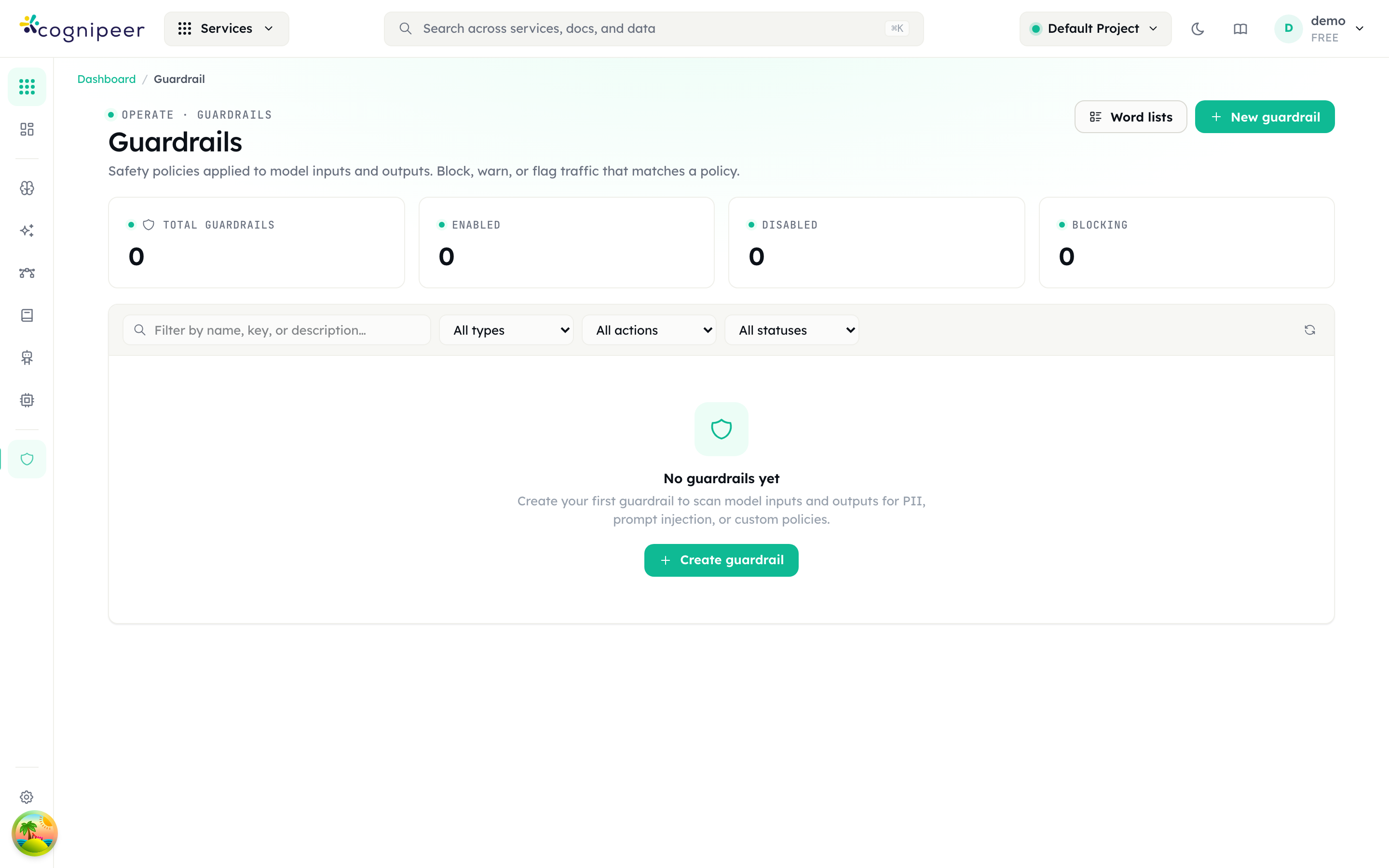
The tiles read Total guardrails, Enabled, Disabled and Blocking. Press New guardrail to open the Create guardrail form.
| Section | Field | What to enter |
|---|---|---|
| 1 · Type | Guardrail type | Preset for the four bundled checks. Custom prompt writes your own rule and hands it to an LLM to judge |
| 2 · Identity | Name | Required. The key is generated from it and is what the API addresses |
| Description | Optional. Shown in lists and API responses | |
| 3 · Action | Default action | Block — stop the request · Warn — allow but flag · Flag — log for review |
| 4 · Model | Model | Optional for a preset — the LLM that moderation and prompt shield will use. Required for a custom prompt |
| 4 · Custom rule | Custom rule | Custom type only. Describe what should fail the rule |
The footer counts readiness as N of 4. Press Create guardrail and you land on the detail page.
"Default action" is not the whole story
The value you pick here governs the LLM-backed findings — moderation, prompt shield and custom rules. The PII Detection and Word Filter cards carry their own action, set separately on the next screen. That is deliberate: it is how you redact PII while blocking profanity in one policy.
Configure the checks
Open the Configuration tab. Basic Settings repeats the name, description and default action, and adds two things the create form does not offer:
- Failure Mode — Fail open — pass content if the evaluator errors or Fail closed — block content if the evaluator errors. New guardrails default to fail open.
- Enabled — "Disabled guardrails are skipped during evaluation".
Below that are the four policy cards. A preset guardrail is created with PII Detection on (action Block the request) and the other three off.
| Card | Engine | Controls |
|---|---|---|
| PII Detection | Regex and checksums, no LLM | Action on detection, then Detect categories — 15 checkboxes. email, phone, creditCard, tckn and apiKey start on |
| Word Filter | Deterministic matching, no LLM | Action on detection, Built-in lists, Uploaded word lists, Custom banned words, Custom regex patterns |
| Content Moderation | LLM classifier | Model, then Categories to detect — 26 topics from harassment through cybercrime to animal cruelty |
| Prompt Shield | LLM classifier | Model, and Sensitivity: Low — only clear violations · Balanced — recommended · High — flag anything suspicious |
Action on detection on the two deterministic cards offers a fourth option the guardrail-level selector does not: Redact — mask the values and continue (the word filter phrases it "mask the words"). This is the only place redaction can be switched on.
Press Save Changes.
An LLM check with no model is not a silent no-op
If Content Moderation or Prompt Shield is enabled and neither the card nor the guardrail has a model, the check emits an evaluation_error finding rather than passing quietly. Under fail open that finding is informational and says the content "passed unchecked"; under fail closed it becomes a real violation and blocks whenever the guardrail's default action is Block. The API refuses the configuration outright — see the API section.
Add a word list
Word lists are created in the active project and referenced by key from any guardrail's word filter; a key that does not resolve inside the project falls back to a tenant-wide list created without one. On the Guardrails page press Word lists, then New list.
Fill in Name, optionally Language and Description, then either press Upload CSV / TXT or type into Words — one entry per line, commas and semicolons also split, lines beginning with # are ignored. Press Create list.
Back on the guardrail's Word Filter card, pick the list under Uploaded word lists. Lists are cached in memory for 60 seconds at evaluation time. Editing or deleting a list clears that cache in the process that handled the write, so on a single instance the change is immediate; across several instances the others keep serving the cached copy for up to a minute.
Test it before you bind it
The Test tab evaluates the saved guardrail without touching any model traffic. Paste something into Test message and press Evaluate. The result shows pass or fail, every finding with its severity and category, and — when a redact action fired — a Redacted output block.
Use synthetic data. john@example.com, the Luhn-valid test card 4111 1111 1111 1111 and the checksum-valid TC Kimlik number 10000000146 all hit categories that are on by default. An SSN-style 123-45-6789 will not fire until you switch National ID numbers on.
A disabled guardrail passes everything
If the guardrail is disabled, the Test tab warns you and the evaluation returns {"passed": true, "disabled": true, "findings": []}. That is a vacuous pass, not a clean one. Check the disabled flag in any code that consumes the evaluate endpoint.
Bind it to a model
A guardrail does nothing until it occupies a slot. The slot decides the direction — there is no input/output setting on the guardrail itself.
The quickest route is the Model Hub list: open the row menu on an LLM model and choose Guardrail settings. The Guardrail Settings modal offers Input Guardrail (checks the user message) and Output Guardrail (checks the LLM response, marked "non-streaming only"). Pick one or both, press Save.
The same two selectors, labelled Input guardrail and Output guardrail, live in the Guardrails card on /dashboard/models/<id>/edit. That card only renders for models in the llm category.
Bind it to an agent
Open the agent, stay on the Playground tab, and work down the Configuration panel on the left to the Guardrails section. Input Guardrail is "Applied to user messages before processing"; Output Guardrail is "Applied to assistant responses before returning". Press Save Configuration.
Agent evaluations are logged with the source agent, so they show up in the same charts as gateway traffic and can be told apart from it.
Read the results
The guardrail's Dashboard tab carries an Overview and Main Information card plus the evaluation rollup: Daily Evaluations, Pass / Fail Ratio, Findings by Type and Findings by Severity. Evaluation History lists individual evaluations in a table of Status, Input, Findings, Severity, Source, Latency and Date — Source is the calling surface.
Three alert metrics are available when you build a rule under Alerts & Incidents: guardrail_fail_rate, guardrail_avg_latency_ms and guardrail_total_evaluations.
Detected values are masked before they are persisted — a finding stores the first two characters and the length, never the value. Raw PII does not land in the evaluation log.
Part 2 — Build the PII policy
Create the policy
Open Operate → PII Service.
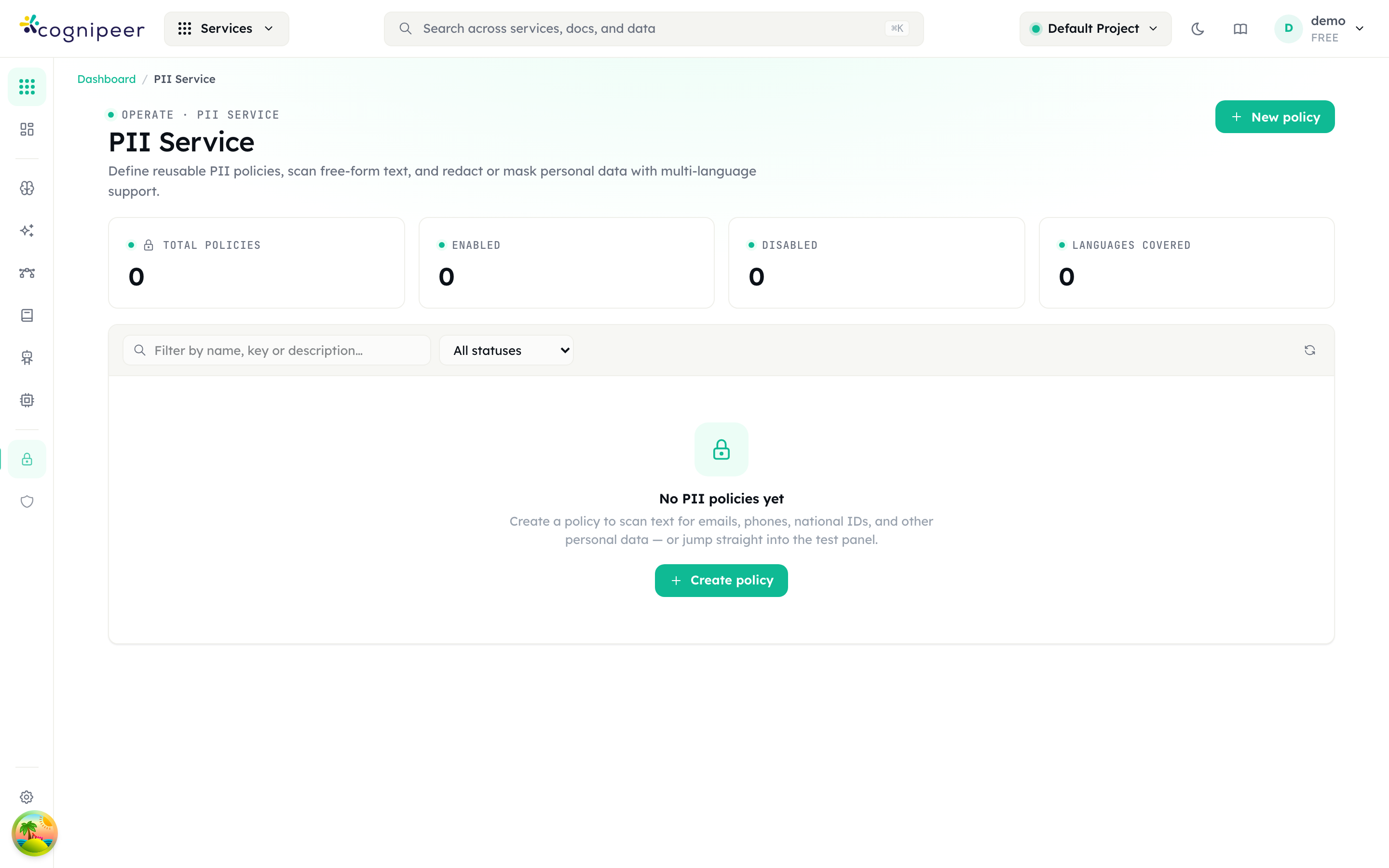
The tiles read Total policies, Enabled, Disabled and Languages covered; the grid columns are Name, Default action, Categories, Languages and Status. Press New policy.
| Section | Field | Notes |
|---|---|---|
| 1 · Name | Name, Description | Name is required; the policy key is generated from it |
| 2 · Default action | one of five chips | Detect only · Redact · Mask · Tokenize (reversible) · Block |
| 3 · Policy enabled | Policy enabled | "Disabled policies are skipped at evaluation time" |
A new policy starts with the seven default-on categories enabled: email, phone, creditCard, iban, tc_kimlik, tr_phone and tr_iban.
What each action does
| Action | output_text | Example |
|---|---|---|
| Detect only | Unchanged | Findings only, no transformation |
| Redact | Tag substitution | [REDACTED_EMAIL], [REDACTED_CREDITCARD] |
| Mask | Partial obfuscation per category | john@example.com → j***@example.com |
| Tokenize (reversible) | Numbered token | [EMAIL_1], plus a vault mapping token to original |
| Block | Unchanged | Every finding is marked block: true and has_blocking is true |
Masking strategy is a property of the category, not a setting: emails keep their domain, cards and phone numbers keep the last four characters, IBANs keep four at each end, IP addresses and dates collapse to [IP] and [DOB].
Configure categories and patterns
Open the policy and stay on Configuration.
Default action and Languages sit at the top. The Languages helper is exact: "Restrict patterns to specific languages. Global patterns always run." Leaving it empty applies no filter at all — every category stays available.
Built-in categories lists the catalogue as toggles, each with its severity badge and language tags.
| Category id | Label | Languages | On by default |
|---|---|---|---|
email | Email address | global | yes |
phone | Phone number | global | yes |
creditCard | Credit card number | global | yes |
iban | IBAN | global | yes |
swift | SWIFT/BIC code | global | no |
ipAddress | IP address | global | no |
url | URL | global | no |
socialHandle | Social handle | global | no |
apiKey | API token or secret | global | no |
cryptoWallet | Crypto wallet address | global | no |
birthDate | Date of birth | global | no |
address_en | Street address | en | no |
ssn_us | US Social Security Number | en | no |
passport_en | Passport number | en | no |
tc_kimlik | Turkish National ID (TC Kimlik No) | tr | yes |
tr_phone | Turkish phone number | tr | yes |
tr_iban | Turkish IBAN | tr | yes |
de_phone | German phone number | de | no |
Credit cards are Luhn-validated, TC Kimlik numbers are checksum-validated, and phone numbers are rejected outside 7–15 digits — so those three categories produce far fewer false positives than their regexes alone would suggest.
Custom patterns merges your own regexes on top. Add pattern creates a row with Category ID, Label, Regex pattern, Flags, Severity, Languages and an Enabled switch. Invalid regexes are flagged in place and are skipped at detection time rather than failing the call. A custom pattern has no action of its own — it inherits the policy's, and redacts to [REDACTED_<CATEGORY ID IN CAPS>].
Press Save changes.
Test it
The Test tab runs against the editor's current state, so you can try a category before saving it. Paste into Input text and press Detect, Redact, Mask or Tokenize. The result panes are Output, Vault (token → original) — only populated by Tokenize — and Findings, with severity, category, value and offset per row.
The tokenize round-trip
This is the reason to reach for the PII service rather than a guardrail. Tokenize strips values before a model call and detokenize restores them afterwards, so the model never sees the originals but its answer still reads correctly.
Repeated values collapse to one token: a phone number appearing twice yields a single [PHONE_1] and one vault entry. On the way back, tokens missing from the vault are left untouched, so a model that rewrites or drops a token degrades quietly rather than corrupting the text.
The vault is returned to you and is never persisted server-side. If you lose it, the mapping is gone.
The same thing over the API
Both surfaces live under /api/client/v1 and authenticate with Authorization: Bearer cpeer_…. RBAC is checked against the token owner: guardrails for the guardrail and moderation endpoints, pii for the PII endpoints, read on GET and write on everything else.
There is no GET on either client surface
The client API can create, update, delete and evaluate — it cannot list or fetch. Reading a definition back is a dashboard operation, so keep the guardrail key and the policy key in your own configuration rather than discovering them at runtime.
Create a guardrail
curl -X POST https://your-host/api/client/v1/guardrails \
  -H "Authorization: Bearer $TOKEN" \
  -H "Content-Type: application/json" \
  -d '{
    "name": "Support intake",
    "type": "preset",
    "action": "block",
    "failMode": "closed",
    "modelKey": "gpt-4o-mini",
    "policy": {
      "pii":        { "enabled": true,  "action": "redact",
                      "categories": { "email": true, "phone": true, "creditCard": true } },
      "wordFilter": { "enabled": true,  "action": "block", "words": ["competitor-name"] },
      "moderation": { "enabled": true,  "categories": { "hate": true, "violence": true } },
      "promptShield": { "enabled": true, "sensitivity": "balanced" }
    }
  }'
Returns 201 with { "guardrail": { … } }. Omit policy on a preset and you get the default policy: PII on and blocking, everything else off.
| Field | Accepted values | Default |
|---|---|---|
name | non-empty string, required | — |
type | preset | custom — required | — |
action | block | warn | flag | block |
failMode | open | closed | open |
modelKey | a model key from the Model Hub | none |
customPrompt | required when type is custom | — |
enabled | boolean | true |
action: "redact" is rejected at the top level
{ "error": "action must be \"block\", \"warn\", or \"flag\"" }HTTP 400. Redaction is a per-check setting, not a guardrail-level one — it is only valid on policy.pii.action and policy.wordFilter.action, where redact joins block, warn and flag as a fourth value. The same rule applies to PATCH.
The API refuses a configuration whose LLM checks cannot run:
type: "custom"with nomodelKey→modelKey is required for custom guardrails (the rule is evaluated by an LLM)policy.moderation.enabledwith neitherpolicy.moderation.modelKeynormodelKey→Content moderation is enabled but no model is configured (…)- the same for
policy.promptShield
Update and delete address the guardrail by key, not by id:
curl -X PATCH  https://your-host/api/client/v1/guardrails/support-intake -H "Authorization: Bearer $TOKEN" …
curl -X DELETE https://your-host/api/client/v1/guardrails/support-intake -H "Authorization: Bearer $TOKEN"
PATCH writes policy as a whole object. Sending only {"policy":{"pii":{…}}} erases the word filter, moderation and prompt-shield configuration. Read the current policy from the dashboard, change what you need, and send it back complete.
Evaluate text
curl -X POST https://your-host/api/client/v1/guardrails/evaluate \
  -H "Authorization: Bearer $TOKEN" \
  -H "Content-Type: application/json" \
-d '{ "guardrail_key": "support-intake", "text": "my email is john@example.com" }'{
"passed": true,
"action": "block",
"disabled": false,
"findings": [
{ "type": "pii", "category": "email", "severity": "high",
"message": "Email address detected", "action": "redact", "block": false,
"value": "john@example.com" }
],
"guardrail_key": "support-intake",
"guardrail_name": "Support intake",
"message": null,
"redacted_text": "my email is [REDACTED:email]"
}Three response fields carry the decisions your code has to make: passed, disabled and redacted_text. redacted_text is null unless a redact-action finding fired and nothing blocked.
Full field reference: Guardrails API. The OpenAI-compatible POST /moderations endpoint takes a guardrail key in its model field, if you would rather call this from an existing OpenAI client.
Call the PII service
Every detection endpoint is policy-based: policy_key and text are both required. locale is optional and defaults to en (it selects the language of the finding messages, not which patterns run).
curl -X POST https://your-host/api/client/v1/pii/redact \
  -H "Authorization: Bearer $TOKEN" -H "Content-Type: application/json" \
-d '{ "policy_key": "support-intake", "text": "Mail john@example.com or call +90 532 555 22 33" }'curl -X POST https://your-host/api/client/v1/pii/tokenize \
-H "Authorization: Bearer $TOKEN" -H "Content-Type: application/json" \
-d '{ "policy_key": "support-intake", "text": "Refund john@example.com on card 5555 5555 5555 4444" }'
# → output_text: "Refund [EMAIL_1] on card [CREDITCARD_1]"
# vault: { "[EMAIL_1]": { "value": "john@example.com", "category": "email" }, … }curl -X POST https://your-host/api/client/v1/pii/detokenize \
-H "Authorization: Bearer $TOKEN" -H "Content-Type: application/json" \
-d '{ "text": "I refunded [CREDITCARD_1] and emailed [EMAIL_1].", "vault": { … } }'curl -X POST https://your-host/api/client/v1/pii/scan \
-H "Authorization: Bearer $TOKEN" -H "Content-Type: application/json" \
-d '{ "policy_key": "support-intake", "text": "…", "action": "mask" }'| Endpoint | Action | Needs a policy? |
|---|---|---|
POST /pii/detect | pinned to detect | yes |
POST /pii/redact | pinned to redact | yes |
POST /pii/mask | pinned to mask | yes |
POST /pii/tokenize | pinned to tokenize | yes |
POST /pii/scan | the policy's default action, or action in the body | yes |
POST /pii/detokenize | reverses a tokenize using its vault | no |
Every detection response carries policy_key, policy_name, action, findings, output_text, input_length, has_blocking and languages; tokenize adds vault.
Policies themselves are managed with POST /api/client/v1/pii/policies and PATCH / DELETE /api/client/v1/pii/policies/:key. defaultAction accepts detect, redact, mask, block or tokenize. Omit categories on create and you get the seven defaults. As with guardrails, PATCH replaces categories and customPatterns wholesale.
Full field reference: PII API.
Gotchas
Every item here is behaviour in the shipped code, not advice.
The slot decides the direction, not the guardrail. The same guardrail bound to inputGuardrailKey checks user messages and bound to outputGuardrailKey checks responses. The stored target field is always input and is never read at evaluation time — do not try to configure direction on the guardrail.
A block on the agent path does not look like a block on the model path. Chat completions reject with HTTP 400 and the structured {"error":{"type":"guardrail_block","action":…,"findings":[…],"guardrail_key":…}} envelope. An agent raises a plain error reading Input blocked by guardrail: <categories> or Output blocked by guardrail: …, with no findings array. Do not write one error handler for both.
A streaming output guardrail cannot block. By the time the stream ends, the response has already reached the client. The output check still runs, as a post-hoc audit logged with the source chat.completions:stream, feeding evaluation history and alert metrics. If you need to block model output, do not stream it.
A disabled guardrail returns a vacuous pass. {"passed": true, "disabled": true, "findings": []} — HTTP 200, no findings, nothing evaluated. Treat disabled: true as "unknown", not "clean". A disabled PII policy behaves the same way: findings [] and output_text identical to the input.
Redaction is suppressed whenever anything blocks. redacted_text is only computed when at least one redact finding fired and no finding blocked. A policy that redacts PII while blocking profanity returns no redacted text on a message containing both — the request was rejected, so there is nothing to rewrite.
The PII service's block action does not block anything. It returns HTTP 200 with output_text identical to the input and has_blocking: true. There is no server-side enforcement on this surface; your code decides what to do with the flag.
The PII service writes no logs and no usage events. Unlike guardrails, it produces no evaluation history, no charts and no alert metrics. If you need an audit trail of PII decisions, record it yourself at the call site.
Language filtering runs before the category toggle. Categories are narrowed by Languages first, then by the on/off map. Enabling tc_kimlik while Languages is set to English means it never runs. An empty Languages applies no filter and leaves every category available — it does not fall back to global plus your locale.
The picker offers four languages; the API accepts eleven. The dashboard's Languages control lists Global, English, Turkish and German. The API validates against global, en, tr, de, fr, es, it, pt, ar, ja and zh — but only the first four have patterns behind them. Passing ja detects nothing beyond the global categories.
Guardrail PII ids and PII service ids are different vocabularies. tckn versus tc_kimlik, nationalId versus ssn_us, address versus address_en. A category id copied from one surface to the other silently matches nothing.
PATCH replaces objects wholesale. policy on a guardrail, categories and customPatterns on a PII policy — each is written as a complete value. Partial objects delete what they omit.
The Guardrails card is LLM-only. On the model edit page it renders only for models in the llm category. Embedding, rerank, STT, TTS and OCR models have no guardrail slots.
Word lists are cached in memory for 60 seconds. A write clears the cache in its own process only, so on a multi-instance deployment an edited list can take up to a minute to affect every evaluation.
Where to go next
- Guardrails — detection families, word-list endpoints, evaluation-log schema
- PII Service — service concepts and the dashboard preview endpoints
- Guardrails API · PII API · Moderations API
- Build and publish an agent — where the agent-side guardrail slots fit into the wider configuration