
Model Hub
The Model Hub is the operational console for every inference endpoint your tenant exposes — chat completions, embeddings, and multimodal models — across all configured providers. It is the only place where you wire a provider credential to a logical model name, set pricing, configure guardrails, and watch live usage.
Each model you publish here becomes addressable through the OpenAI-compatible runtime described in Model Inference. The model field clients send in /v1/chat/completions is matched against the key column you see in this UI.
Overview
The landing page summarises everything deployed in the active project: total endpoints split by category (LLM / Embedding / Multimodal), provider count, recent usage analytics, and per-model status badges.
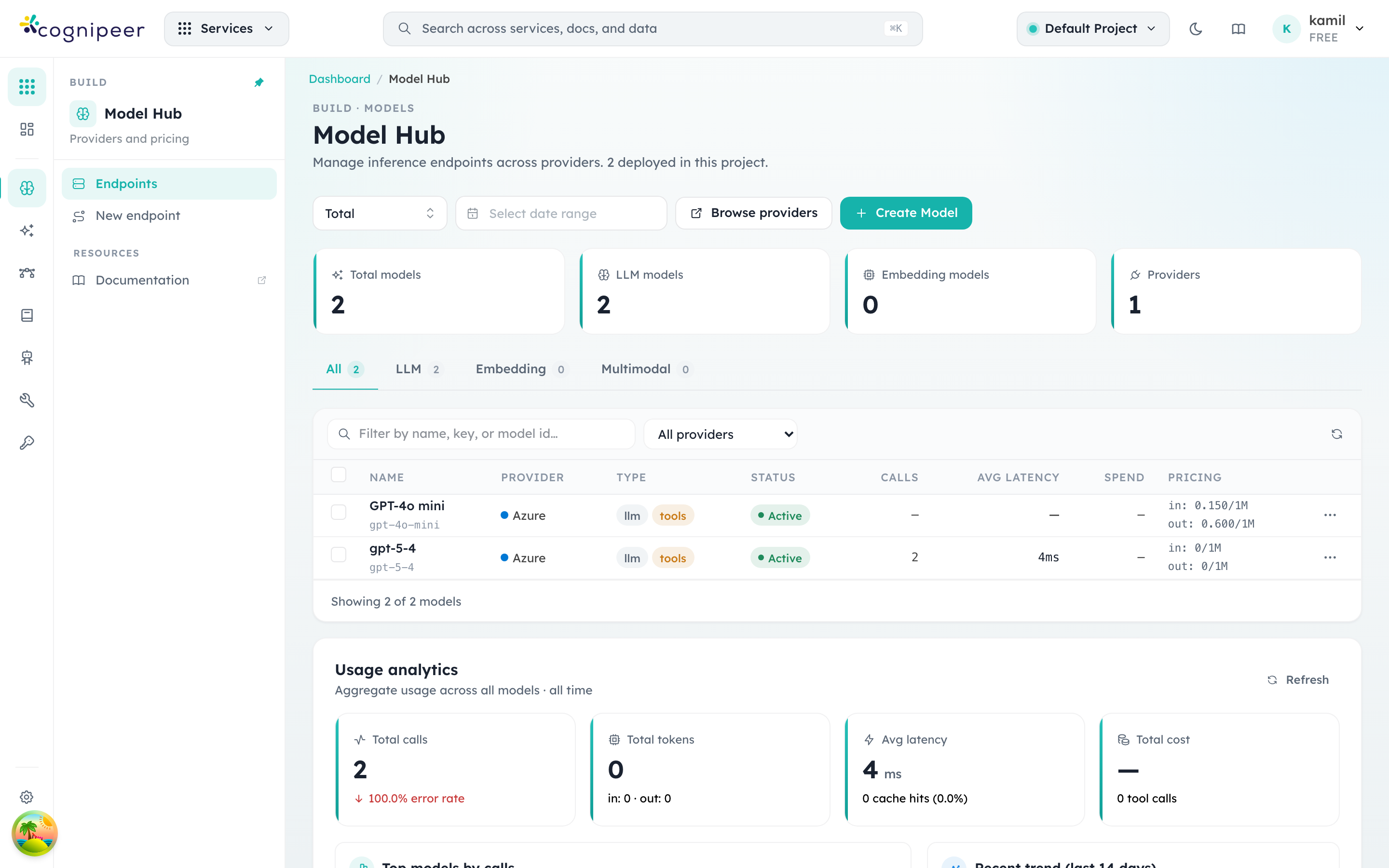
What to look for on this screen:
- Total models / LLM / Embedding / Multimodal counters reflect the active project only. Switch projects from the header pill (top right) to see another scope.
- The status badge in the table is a hardcoded "Active" indicator — models do not carry a status field. When a request names a model key the runtime can't resolve, it throws and the call surfaces as an HTTP 500 from
/v1/chat/completions. - Calls, Avg latency, Spend, Pricing are sourced from the rolling tracing window. The default is "Total" but the date-range picker above the table narrows the report.
- Browse providers jumps to the provider list (described below). Create Model opens the deployment dialog described in Deploy a model.
Providers
Before you can deploy a model you need at least one provider configuration. Providers carry the credentials (API keys, endpoints, regions) and are scoped to either the tenant or a single project.
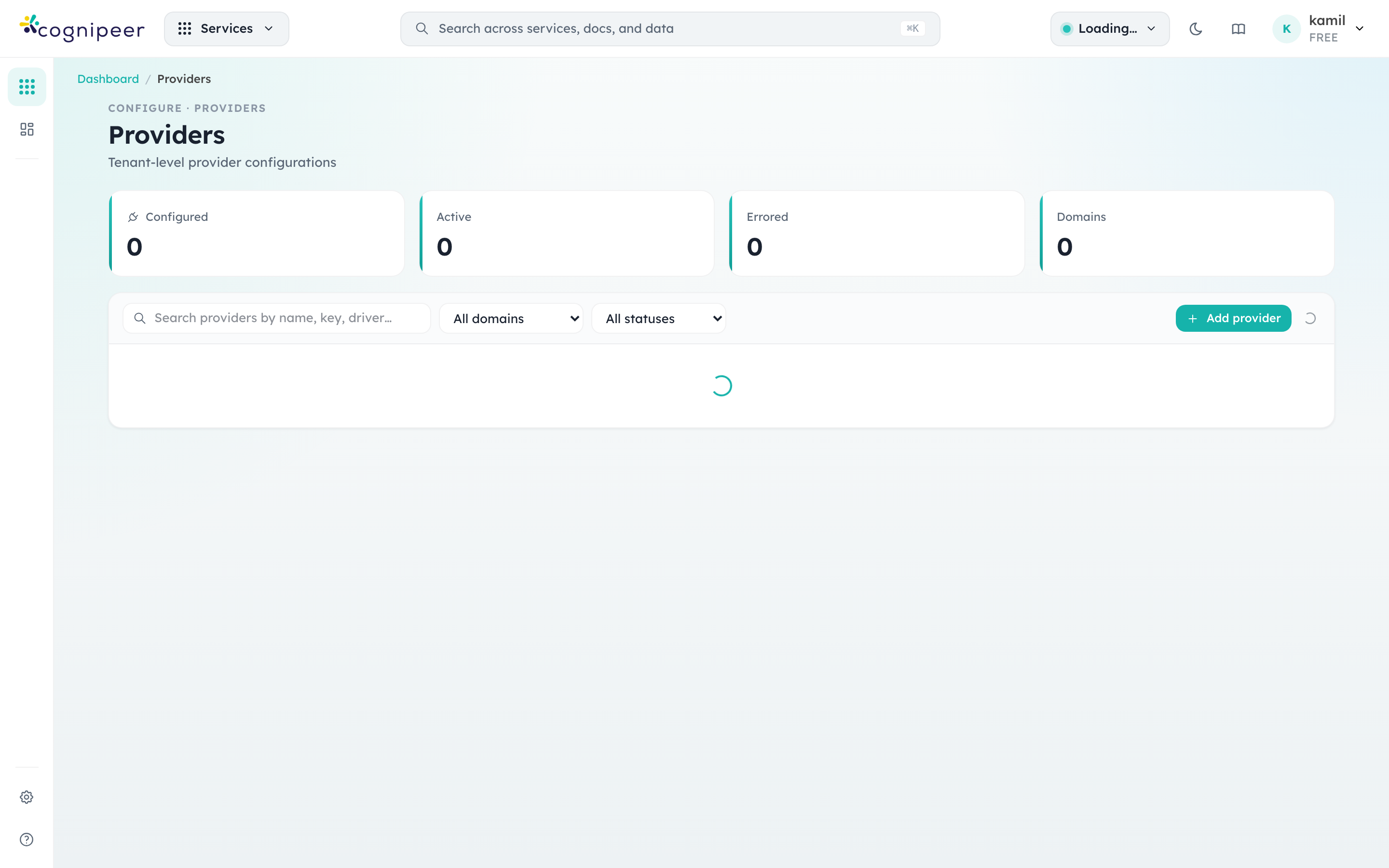
Provider rows show:
- Type —
Modelfor inference providers,Filefor object storage,Vectorfor vector stores,Datasourcefor ingestion connectors. The Model Hub only consumesModelproviders; the others power adjacent features but appear in the same list for convenience. - Driver — the contract implementation that backs the configuration (e.g.
openai-compatible,local-filesystem). Multiple configurations can share a driver (typical when the same OpenAI-compatible endpoint is split across departments with different keys). - Status —
activemeans the runtime accepts requests for any model attached to this provider.erroredprovider configurations cause all linked models to fail pre-flight.
Use Add provider to register a new credential set. The form fields are driven by the provider contract (see Providers for the contract structure), so each driver shows its own credential schema.
Deploy a model
Clicking Create Model on the Model Hub opens a multi-step deployment dialog. Everything required to make a model addressable through the runtime is on a single screen, with a live pre-flight panel on the right.
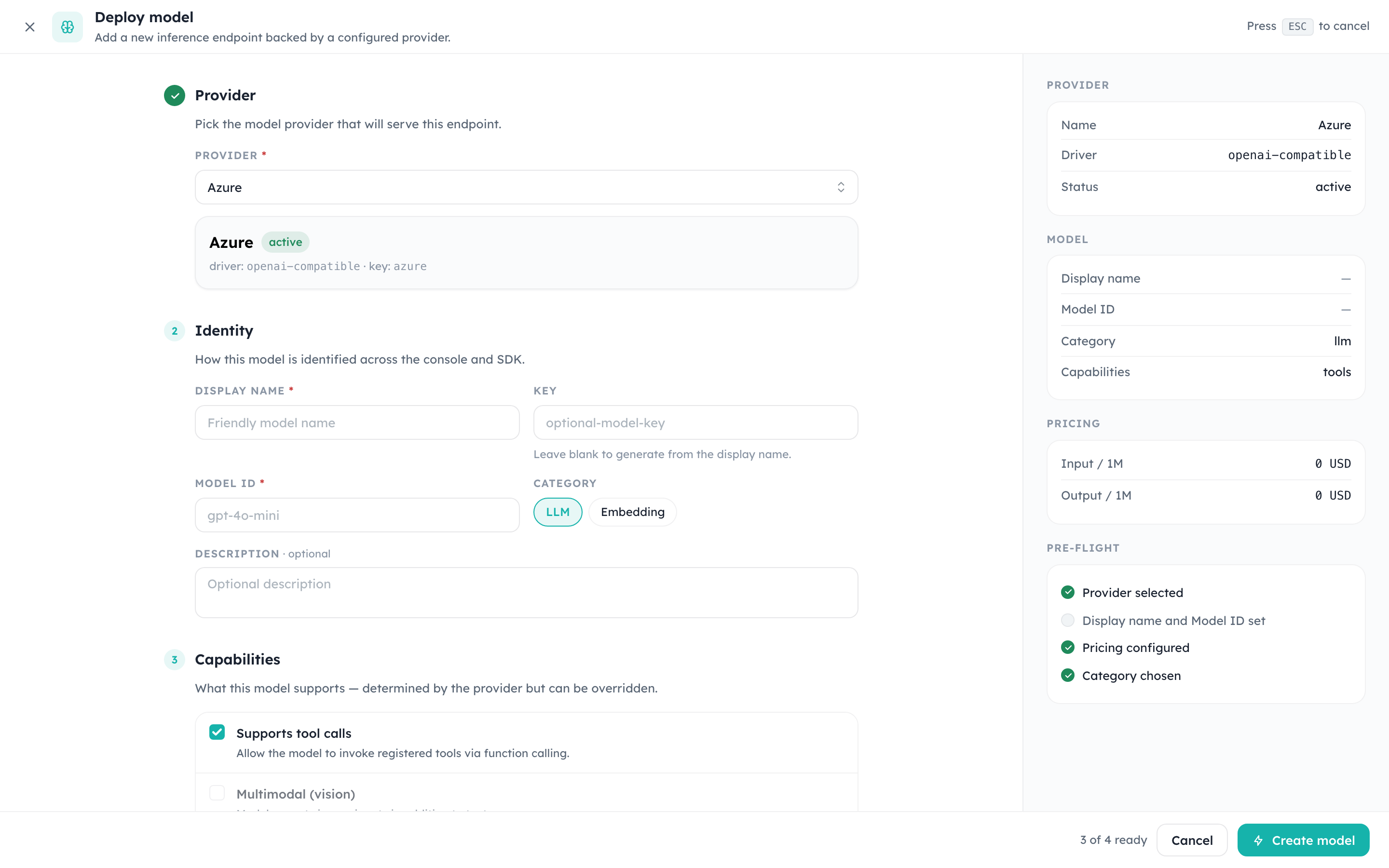
Fields, top to bottom:
- Provider — choose any active provider whose driver supports the model domain. The summary panel on the right reflects driver, key, and status as soon as you pick one.
- Identity
- Display name (required) — what shows up in the table and in tracing.
- Key (optional) — the value clients pass in the
modelfield of API requests. If you leave it blank, the system derives one from the display name. - Model ID (required) — the provider-side identifier (e.g.
gpt-4o-mini,claude-sonnet-4-6). This is what the runtime forwards upstream after auth and quota checks. - Category —
LLMorEmbedding. Picking Embedding hides chat-only fields below.
- Capabilities — context window, maximum output tokens, input/output modalities, reasoning, structured output, and tool-call support. These values form the model's explicit capability profile and are published by the OpenAI-compatible discovery endpoint; clients do not need to infer features from the alias name.
- Pricing & limits — pricing is captured per 1M tokens with separate input/output/cached buckets. Spend reports in the overview and in tracing both read from these numbers, so keep them in sync with the upstream contract.
The right column gives a pre-flight checklist that flips from grey to green as each requirement is met. The Create model button only enables when all checks pass.
Inspecting a model
Clicking a row from the overview opens the model's detail screen. This is the surface engineers use most often when something looks off in production: it combines the operational view (latency, error rate, recent calls) with everything required to reproduce a request.
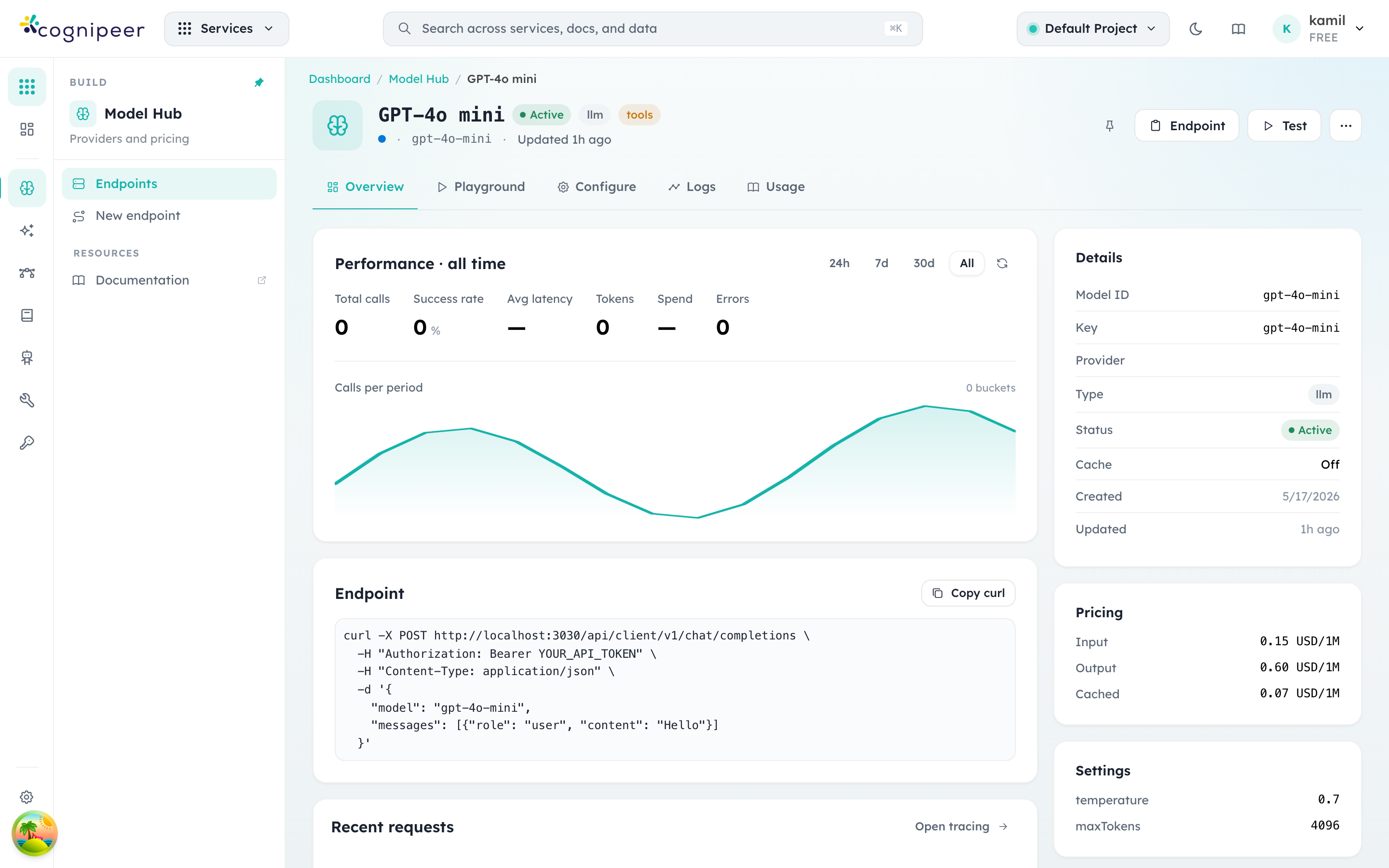
The page is organised in tabs:
- Overview (shown above) — performance over the chosen window, a ready-to-paste
curlagainst the local runtime, recent requests, and the static metadata panel on the right (pricing, settings, status, timestamps). - Playground — a chat sandbox bound to this model. The system prompt and runtime settings come from the model definition, so the playground exactly mirrors what production traffic experiences.
- Configure — read-only access to the underlying definition with edit-in-place affordances for the fields that don't require a redeploy (description, key, status, pricing).
- Logs — request-level entries with prompts, completions, token usage, and tool calls. Streams from the same store as Agent Tracing.
- Usage — aggregated cost and call counts grouped by token, API token, and time bucket.
The Endpoint panel exposes the canonical curl snippet:
curl -X POST http://localhost:3000/api/client/v1/chat/completions \
  -H "Authorization: Bearer YOUR_API_TOKEN" \
  -H "Content-Type: application/json" \
  -d '{
    "model": "gpt-4o-mini",
    "messages": [{"role":"user","content":"Hello"}]
  }'
YOUR_API_TOKEN comes from the API Tokens screen. Tokens are tenant-scoped and inherit the requesting member's project permissions.
Editing a model
Use the … menu on a row or Configure → Edit inside the detail page to reach the edit screen. The fields mirror the create dialog but apply changes in-place — no need to delete and recreate.
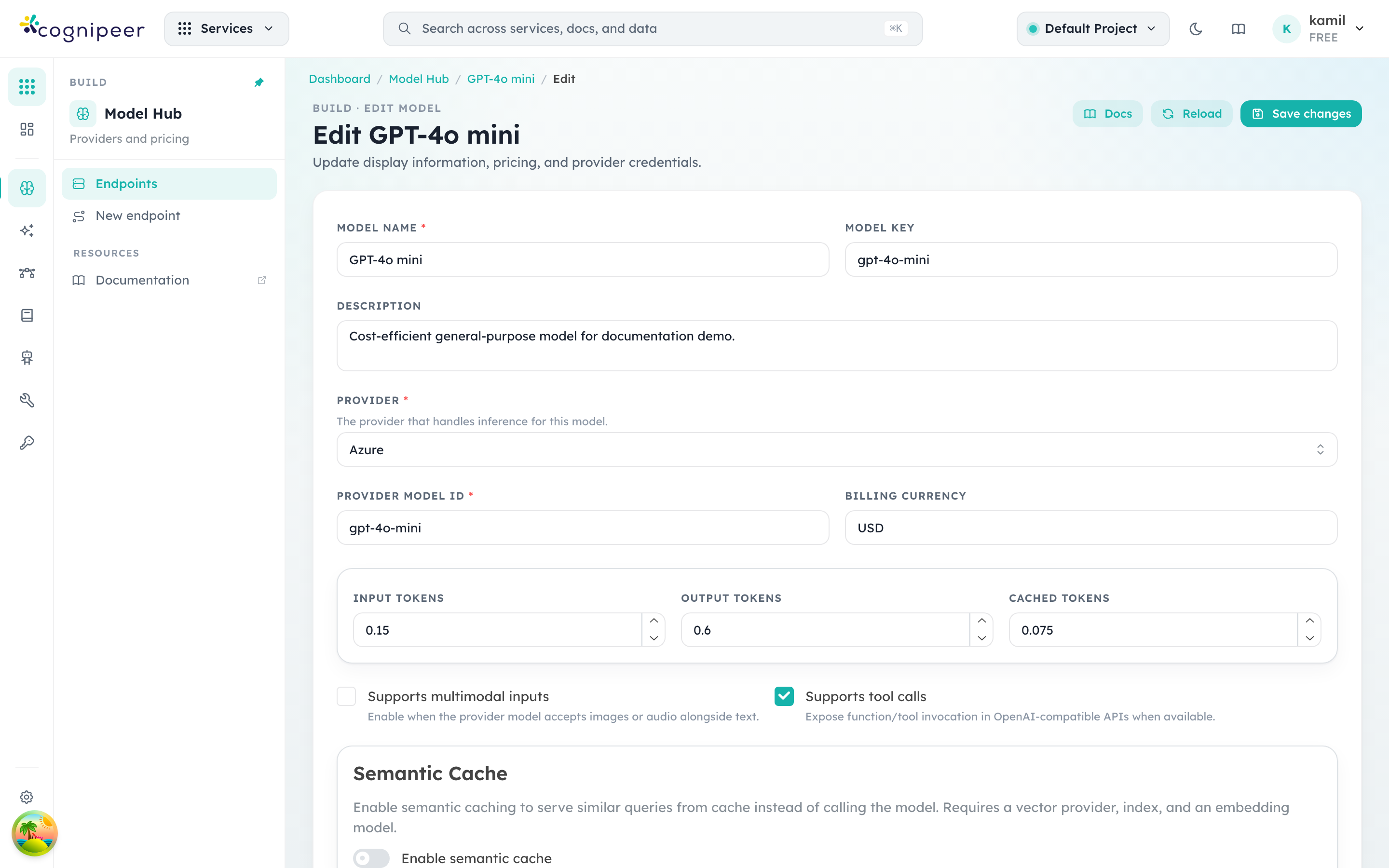
Common edits:
- Pricing — when the upstream provider updates rates, edit here so spend reports stay accurate.
- Status — flip to
inactiveto immediately stop accepting traffic for a model without removing the definition (useful during incident response). - Settings — adjust
temperature,maxTokens, and provider-specific runtime defaults. These apply when clients don't override them in the request body. - Guardrails — bind input and/or output guardrail keys defined in the Guardrails module.
Changes apply on save. There is no separate publish step.
Public alias and canonical model ID
Keep these identities separate:
- Key is the stable public alias returned as
data[].idbyGET /api/client/v1/models. Renaming it is an API contract change for clients. - Model ID is the canonical provider-facing identifier. Console sends it upstream and publishes it as
cognipeer.canonical_model_idfor metadata correlation.
Multiple public aliases may intentionally point to the same provider model with different settings, pricing, guardrails, or routing behavior. Discovery therefore never replaces the public key with the provider model ID.
How requests resolve
When a client calls /api/client/v1/chat/completions with model: "gpt-4o-mini", the runtime resolves the call in this order:
- Authenticate the API token and resolve the tenant + project.
- Look up the key
gpt-4o-miniin the active project's Model Hub. - If the key cannot be resolved to a model definition, the runtime throws and the request returns HTTP 500.
- Pull the linked provider configuration, decrypt credentials, and instantiate the provider runtime (see Providers).
- Apply input guardrails, forward the request using the model's
modelId, then apply output guardrails before responding. - Persist tracing and usage records, including the pricing snapshot from the model definition.
Every step is observable through Agent Tracing. If a request fails, the trace points to the exact step that rejected it.
Where to go next
- Model Inference — the request/response shape for chat and embedding endpoints.
- Providers — provider contract structure and how to add new drivers.
- Guardrails — input/output filters you can attach per model.
- Agent Tracing — query and inspect the per-request records the runtime writes for every Model Hub call.